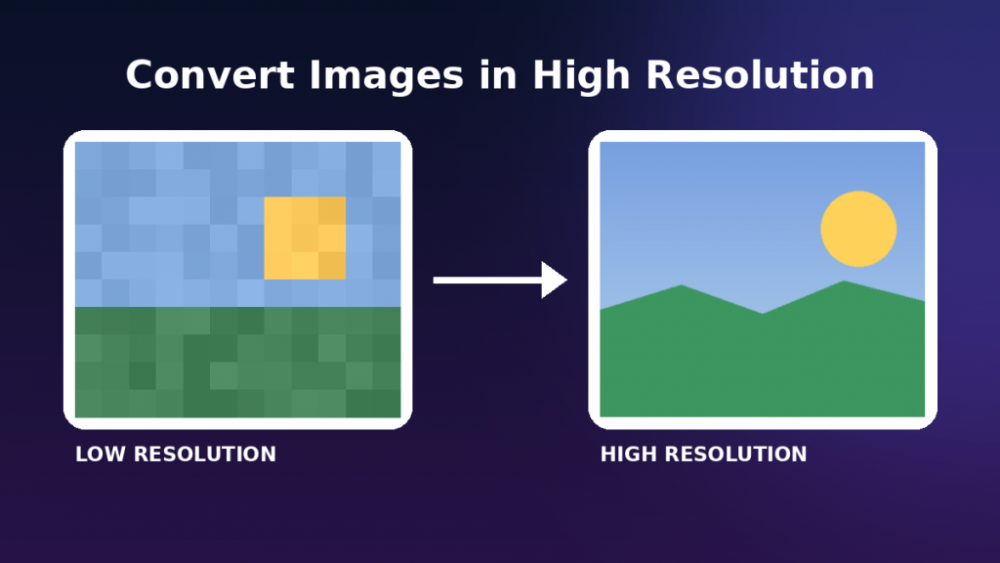
If you have ever tried to print a phone photo at poster size and watched it dissolve into a blurry mess, you already understand the problem. That moment is usually when people start looking for a way to convert images in high resolution without paying for a license they will use twice a year.
The timing matters more than most people realize. According to HTTP Archive’s 2025 Web Almanac, images still account for roughly a third of the total weight on a typical web page and the median product photo on a small business site is nowhere near print quality. Anyone trying to High Resolution Photo Converter today is really solving two problems at once: making a photo look sharp on screen and making sure it still holds up when it is enlarged, printed or zoomed.
Five years ago, fixing this meant Photoshop, a plugin, or a freelancer on Fiverr. Now a handful of free AI tools can take a soft, low-quality photo and rebuild missing detail in under a minute, right in a browser tab.
This piece walks through what these tools actually do, where they genuinely help, where they fall short and which free options are worth your time in 2026.
What Does It Mean to Convert Images in High Resolution?
In plain terms, resolution is the amount of detail packed into an image, usually measured in pixels. A photo with more pixels per inch holds more information, so it stays sharp when you zoom in, print it large or display it on a big screen.
Converting an image to high resolution does not mean stretching it bigger and hoping for the best. Old-school resizing just duplicates existing pixels, which is why a stretched photo looks soft and blocky. Modern AI upscalers take a different approach: they study the patterns in the image, like skin texture, fabric weave, or the edge of a leaf and generate new pixels that match what should logically be there.
A simple way to picture it: imagine handing a sketch artist a faded photograph and asking them to fill in the parts that have worn away, using only the clues left in the image. That is roughly what an AI upscaler is doing, just with math instead of a pencil.
Why It Matters
Image quality is no longer a cosmetic detail. It is tied to how a business is perceived, how a website performs and how content holds up across an increasing number of high-density screens.
For online retailers, product photography is often the single biggest factor in whether a shopper trusts a listing enough to buy. A blurry thumbnail next to a confident product description sends a mixed signal and shoppers notice.
For publishers and marketing teams, the same image now needs to work everywhere: a thumbnail on a phone, a banner on a 4K monitor and sometimes a printed flyer. One properly upscaled source file can replace three or four separately sourced versions.
For individuals, this is personal. Family archives, scanned negatives and early-2000s digital camera shots are often the only record of a memory and a clean, sharp upscale can mean a reprint or a larger frame holds up instead of looking like a smear.
There is a quieter business case too. Returns and customer complaints in retail often trace back to a product looking different in person than it did in a fuzzy listing photo. Sharper, more accurate images set honest expectations, which tends to reduce friction after the sale, not just before it.
Looking ahead, as screens keep getting denser and AI-generated content becomes more common, the gap between “acceptable” and “sharp” is only going to get more obvious, not less.
Key Benefits
The appeal of free AI upscaling tools comes down to a few practical wins:
- Sharper detail without new equipment: you do not need a new camera or scanner to get a usable, high-quality image from an older or lower-end source.
- Print-ready output: posters, business cards and signage need far more resolution than a screen does and upscaling can bridge that gap for older source files.
- Restoration of old or damaged photos: several tools include modes built specifically for scanned prints, recovering detail that looked lost for good.
- Lower cost of entry: a small business or solo creator can get results that used to require a paid plugin or a professional retoucher.
- Faster turnaround: what once took an editor twenty minutes of manual sharpening now takes a single upload and a few seconds of processing.
Real-World Applications
Ecommerce sellers on Etsy and Amazon regularly take a single decent product photo and upscale it to meet a marketplace’s minimum resolution requirement, instead of rebooking a photographer for a reshoot.
Photographers and family historians use restoration-focused upscalers to bring scanned film and old prints back to a usable state before reprinting them for a relative’s anniversary or a memorial slideshow.
Marketing teams stretch a single hero image across formats, from an Instagram post to a trade-show banner, using upscaling to avoid commissioning a new photoshoot for every size.
Small print shops and freelance designers use these tools as a first pass on client-submitted images that arrive too small for the job, often catching the problem before it becomes an awkward conversation about reshoots.
Challenges and Limitations
It is worth being honest about what these tools cannot do. AI upscaling predicts plausible detail it does not recover information that was never captured in the first place. A heavily compressed, six-year-old screenshot will improve, but it will not suddenly match a photo shot on a modern camera.
Push any upscaler too far, especially past 4x or 8x on an already low-quality source and you start to see artifacts: waxy skin, odd textures, or details that look almost right but slightly off. This is a common misconception worth correcting: bigger numbers on the upscale slider are not automatically better.
Free tiers also come with real constraints. Most cap the number of images per day, limit the maximum output resolution, or hold back full-size downloads behind a paid plan. And because most of these tools run in the cloud, uploading personal or sensitive photos means trusting a third party’s storage and privacy practices, which is worth a quick read of the terms before uploading anything private.
Future Outlook
The direction here looks fairly clear, even without overreaching into speculation. Phone manufacturers are already building basic upscaling and detail-recovery directly into camera software, which suggests this capability will keep moving from “extra step” to “built-in default.”
On the software side, the models behind these tools keep improving at handling tricky cases, like text, fine hair and patterned fabric, which were previously the weak spots of upscaling. Expect free tools to keep closing the gap with paid software rather than falling further behind it.
There is also a growing conversation, still unresolved, about how upscaled or AI-reconstructed images should be labeled, particularly in journalism and historical archiving, where the line between “restored” and “reimagined” actually matters.
Best Practices and Recommendations
A few habits separate people who get clean results from people who get strange, over-processed ones:
- Start with the best source file you have. Upscaling a screenshot of a screenshot will not produce a miracle.
- Keep your upscale factor reasonable. Try 2x first and only go higher if the result still looks natural.
- Test the same image across two or three tools before settling on one for a recurring task.
- Use a restoration-specific mode for old scans and a sharpening-focused mode for product or marketing photos.
- Always keep your original file. Treat the upscaled version as a derivative, not a replacement.
- Check a tool’s privacy policy before uploading photos that include people’s faces or sensitive personal context.
Conclusion
There is no longer a good reason to leave a blurry or undersized photo as it is. Free AI tools have made it realistic for almost anyone to Convert Images to HD Quality Online in a matter of minutes, without installing software or learning a new editing program.
The honest takeaway is that these tools are genuinely useful, not magic. They reconstruct detail intelligently, but they still work best on a decent starting photo and they reward a little judgment about how far to push the upscale factor.
For ecommerce sellers, marketers, photographers and anyone trying to rescue an old family photo, this is one of those rare cases where the free version of a tool is good enough for most real work, with paid options only necessary for high-volume or commercial-grade jobs.
Treat resolution the way you would treat any other quality control step: check it before you publish, print or send a file out the door. A sharper image is rarely the deciding factor on its own, but a soft one is almost always noticed.