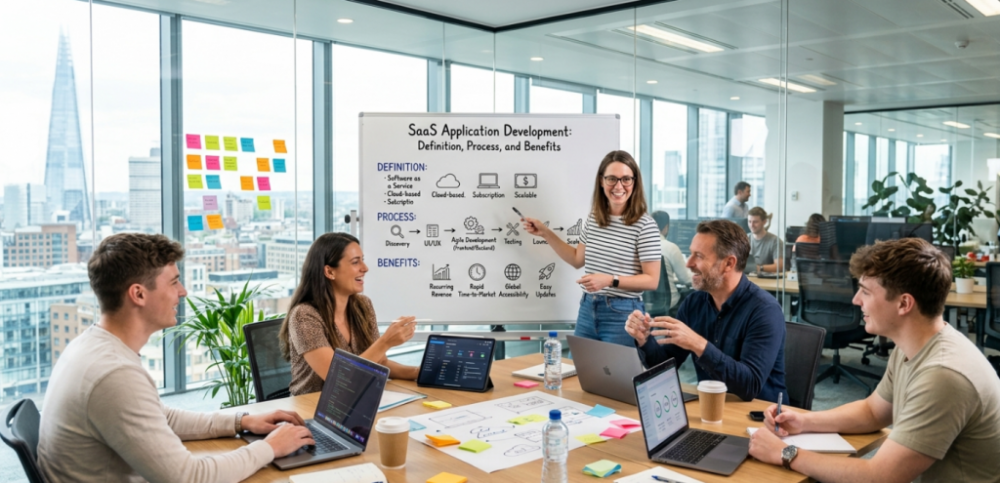
Slack, Zoom, Dropbox, Shopify, have you ever wondered why these applications have been created? What’s made this popular so far? These are all Software-as-a-Service (SaaS) applications to solve specific, high-friction problems, complex e-commerce setups, file synchronization, and inefficient workplace communication.
In simple terms, these SaaS applications are tools you rent over the internet rather than buying, installing, creating large server rooms, and installing them on your computer.
But the question is still what actually goes into building a SaaS application? And why has it become the default choice for startups and enterprises alike? In this article, we will provide detailed information on how SaaS application development works, the benefits, and the processes involved in building SaaS applications.
Let’s unpack it!
What Is SaaS Application Development
Let’s picture this to understand: Earlier, you bought cassettes or DVDs to see your favorite shows, movies like Harry Potter, and you had to pay separately for each show. But now you can just pay for a subscription once a year or a month to see your favorite shows, movies, and serials on OTT platforms like Netflix and Hotstar. This is where SaaS applications come!
SaaS application development is the process of creating software that users access via the internet, typically through a browser, without needing installation or manual updates. Instead of buying software outright, users subscribe. Instead of managing infrastructure, businesses rely on cloud providers. With SaaS, everything becomes lighter, faster, and more flexible.
You must be looking for SaaS examples. Here’s a list that can help you clear your doubts.
- Project management tools
- CRM systems
- Accounting Platforms
- Collaboration Software
How SaaS Differs from Traditional Software
Do you know the SaaS market is projected to reach approximately $315-$465 billion by 2026? The SaaS market is expanding, and it will reach$1.25 trillion by 2034. But why? What makes them so popular? Here, we will clear up any doubts about how it differs from traditional software and what makes people rely more on SaaS software.
Installation vs Accessibility
Earlier installations weren’t easy; people used to build large server rooms to handle the number of connections so users could access information. While SaaS needs no installation, it is accessible through a web browser from any device. SaaS removes hardware dependency and enables remote access.
Pricing Model
Traditional software requires a one-time license purchase and an additional cost for upgrades. While SaaS software is subscription-based, it can be paid monthly or annually and includes updates and support. SaaS offers predictable and flexible pricing.
Updates & Maintenance
Traditional software requires manual updates, and users must install patches. At the same time, SaaS software helps automate provider updates and ensures the latest version is always used, with no downtime or manual effort for users.
Data Storage
Traditional software stores data locally, such as on users’ devices or internal servers, whereas SaaS software stores data securely in the cloud, enabling easier backup and recovery and scalability.
Security Management
Traditional software handles security internally and requires dedicated IT resources. SaaS software is centralized, with security managed by providers, regular updates, and monitoring.
Deployment Time
Traditional software requires more time to set up the server, or installation can even take months, while SaaS software deploys quickly and is often ready within minutes.
The SaaS Development Process
Developing SaaS software is not just about writing code and deploying; it is about how it should be designed and how it will create a user-centric ecosystem. The SaaS development process involves a structured, iterative lifecycle designed to create secure, scalable, cloud-based applications. Here’s a step-by-step guide to help you create a successful application that lasts in the long run.
Idea Validation & Market Research
Before jumping into code, initially start researching about the market, like about competitors, how your application could be different, how your application would provide a solution, etc.
- Who is your target user?
- What problem are you solving?
- Who are your competitors?
Planning & Architecture Design
Now, this is where strategy meets technology. You need to collaborate with a team, explain your idea, how they should design it, what integration developers need to do for unique features, etc.
- Choose your tech-stack
- Decide on multi-tenancy vs single-tenancy
- Plan scalability and integrations
A strong architecture early on prevents painful rebuilds later.
UI/UX Design
The main engagement users have with applications comes from their user interfaces. SaaS dies or lives by user experience.
- Clean dashboards
- Intuitive navigation
- Minimal friction onboarding
Users accept simplicity even for complex tools.
Development Phase
Here comes the building stage. This stage will bring your application to life.
- Frontend (what users see)
- Backend (logic, APIs, database)
- Cloud infrastructure setup
Agile methodology is often used to ship features incrementally.
Testing & Quality Assurance
Do not just be quick to deploy; a SaaS must be reliable at scale.
- Functional testing
- Performance testing
- Security audits
Downtime or bugs can directly impact revenue.
Deployment & Launch
Once the application is ready;
- Deploy on cloud platforms
- Set up CI/CD pipelines
- Monitor system performance
Maintenance & Continuous Improvement
SaaS is never done, it needs
- Regular updates
- Feature enhancements
- User feedback integration
The best SaaS products evolve constantly.
Benefits of SaaS Applications Development
Why has SaaS become so dominant? Why is SaaS leading the market? Because it aligns perfectly with modern business needs.
Scalability on Demand
SaaS serves millions of users without any glitches or bugs. SaaS can easily serve 10 users or 10 million users without rebuilding the system.
Cost Efficiency
SaaS doesn’t require any big server room installation, no heavy installation costs, and no lifetime subscription costs. You can simply install or use it in the browser with ease, and it also allows access across borders.
Accessibility Everywhere
With SaaS, users can log in from any device or location.
Faster Updates & Deployment
SaaS software automates updates instantly, with no downloads or disruptions.
Enhanced Security
Centralized data management allows for better monitoring and protection.
Data-Driven Insights
Built-in analytics help track user behaviour, enabling smarter decisions.
Future of SaaS
Have you ever wondered what the future of SaaS software might look like? Does it serve the same, or will it upgrade to make advanced work operations without any manual effort? Here’s a list of how the future of SaaS will look;
AI integration
Future SaaS will not just support tasks but execute them, moving from passive interfaces to intelligent, autonomous agents that act on data in real-time.
No-code/low-code platforms
No-code and low-code help develop applications without human hands; they can be developed using natural language, which significantly reduces costs and speeds up development cycles.
Industry-specific SaaS growth
Did you know 50% of enterprises will rely on industry cloud platforms by the end of 2028? Industry is going to adopt SaaS to easily manage their workflow operations without hiring staff and at minimal cost.
Final Thoughts
This SaaS app development guide shows that once you understand how to build a SaaS application and follow a clear SaaS product development lifecycle, the process becomes much simpler. Whether it’s custom SaaS application development or scaling an idea, the real value lies in ease of use, flexibility, and growth, key SaaS software advantages for businesses today.