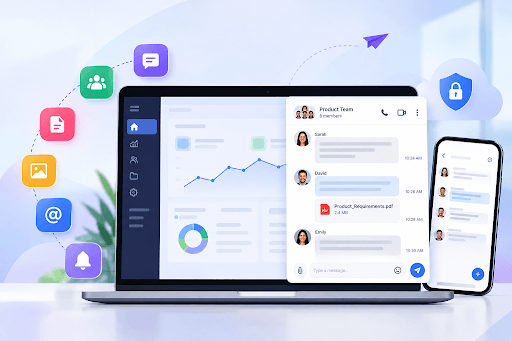
If your users switch between different applications and windows in order to collaborate or troubleshoot, then it will take them a long time to get the issue fixed. It will also be a real productivity burden.
When that happens, it creates jumbled workflows that lead to lower engagement and high churn. This is why you need an in-app chat API or chat SDK as this will keep your team seamlessly connected within a single dashboard.
You will learn how to integrate in-app messaging in your SaaS product in this article.
1. Define the Messaging Requirements
The messaging requirements can vary depending on the products and processes. There are a few basic guidelines to follow when incorporating in-app messaging into a SaaS product, however.
- User roles and permissions: Set rules for who’s allowed to message whom. Maybe admins can reach anyone and regular users only talk to their own teammates. Customers might get a direct line to support team.
- Messaging features: Think about what features users need to talk to each other. Some will want quick one-to-one chats. Others need group conversations, and a lot of teams rely on threads. File sharing is also important.
- Delivery channels: What happens when someone’s offline? An email nudge can pull them back in. Offline sync matters too to keep them on track and not niss miss anything while they’re away.
- White labeling and customization: Check if you can customize the chat interface to reflect your brand’s look and feel.
- Hosting and source code access: Decide whether a cloud model is right for you or if self-hosting is apt based on your business model. Also check if you get full source code access for best internal control.
- Developer tools & SDK flexibility: Ensure that developer tools and SDKs are available and flexible for smooth integration.
- Data storage and compliance: Determine the duration for which you’ll keep the chats – including the security measures you’ll implement to ensure their safety.
2. Choose the Right Way to Add Messaging
This can be done in two ways. You can either opt to build from scratch or opt for pre-built Chat API and SDKs. The following are the advantages and disadvantages of both.
Building from scratch
Starting from scratch means that it is programmed with WebSockets and databases on the backend. Your Engineering team designs and builds the architecture, servers and protocols from scratch to address custom needs.
- Pros: No vendor dependency and 100% control of architecture.
- Cons: High development costs, longer time to market, high maintenance costs.
Using a pre-built Chat API and SDK
You can opt for an embeddable Chat API and Chat SDK, like MirrorFly. This will help you integrate chat features quickly rather than building from scratch. All you have to do is use your existing backend logic and UI kits without building your own real-time messaging pipeline.
- Pros: Quick launch, comparatively affordable, scalable in the long run and offers reliable security.
- Cons: Must be prepared to have in-house engineering resources to maintain and operate the self-hosting for the long term.
Going the API route makes your in-app messaging integration quick without waiting for months of coding.
3. Seamlessly embed Messaging into Your SaaS Application
It doesn’t matter whether you are building a messaging application for internal usage or as a customer facing application; here are some steps to integrate chat into your workflow easily:
These are the steps to easily integrate chat into your workflow:
- Integrate your frontend and backend: When you have a reliable chat SDK and API, it will let you integrate the chat widget into your UI and backend. This will maintain real time data synchronization.
- Log users in once: Link the chat to the login your product already has. Authentication tokens handle it quietly in the background. Nobody should ever see a second sign-in screen.
- Real-time event syncing: Ever sent a message and had to refresh to see the reply? That’s what WebSockets and push notifications prevent. Typing indicators and read receipts show up the moment they happen.
- Test the connection: Spin up a sandbox. Send a few hundred messages between test accounts. Then check the database and make sure every single one made it.
4. Include Messaging Features Your Users Need
When you’re going to have in-app messaging capabilities that can be truly helpful, you’ll want to stock them with the appropriate tools that will help your users work seamlessly inside your platform.
Here are the essential features to include:
- Instant Messaging: This makes live communication possible with almost instant responses and no delay.
- Chat mentions: Users can mention any teammate using @username to notify the respective user to bring them into important conversations at the right time.
- Starred messages: Users can star important instructions and updates to avoid missing out on any important information.
- Upload Large Files: This helps share large files. The idea is to keep the discussion going so let users share large files like a design file or code snippets.
- Message threads: Organize side discussions in a separate thread from the main discussion.
- Schedule Chat: Queue up a line of messages to be sent later. This is great for cross time zone communications.
- Custom Workflow: Connect chat triggers to automatic notifications. A customer asks a question and it turns into a task for the right team member. It can also show up in the CRM as an update.
- Reactions and read receipts: A thumbs-up says “got it” without adding another message to the thread. A “seen” tag tells the sender their message landed. Small things like these keep a conversation moving.
5. Handle Security, Permissions, and Data
Safeguarding your users’ chats is the way to win and retain trust. These are the security and privacy levels that you must have in place:
- AES Encryption: Protects messages during transmission through networks and stored messages, which are not accessible to unauthorized users on servers.
- SSL/TLS: For all data that is sent and received between your application and the chat servers, use secure communication protocols that will prevent any leaks of information.
- Multi-Factor Authentication: Ask for a second step at login such as a code sent to the user’s phone. A leaked password alone then won’t get anyone into a sensitive chat account.
- Region-Specific Compliance: Which privacy laws apply to you? It depends on where your users live and what field they work in. GDPR is the big one for anyone serving Europe and HIPAA matters the moment you touch US healthcare data.
- Role-based user permissions: You can control access to your own and other users’ messages, and the ability to send messages and delete or moderate messages, by role in your workspace.
6. Set up your messaging deployment model
A variety of deployment models offer you varying levels of control, security and maintenance. Below are the three main ones with their pros and cons.
1. Self-Hosting
All chat services operate locally on the servers of your own or on a private data center.
- Pros: There will be no 3rd party cloud outages. You get full data control and maximum security compliance.
- Cons: You need an IT team to maintain.
2. On-Cloud Deployment
You use another cloud platform (such as AWS, Google Cloud or managed chat platform vendors) to host your chat.
- Pros: It is fast to set up and is highly scalable. It has zero hardware maintenance and has lower upfront costs.
- Cons: No direct physical control of servers, subscription or recurring fee for cloud usage.
3. Hybrid Deployment
Hybrid splits the job in two. Live messages travel through the cloud so they stay fast. Anything private stays on servers you control.
- Pros: Offers data privacy compliance along with the speed and scalability of the cloud.
- Cons: Needs specialized engineering management.
7. Review the Messaging Integration.
Do some testing to check if your in-app messaging integration will be able to handle real life use. Below is a list of tests to be carried out:
- Load testing: What happens when a thousand people message at once? Find out before your users do. Throw a rush of traffic at the chat API and note where it starts to slow down.
- Network and device checks: Drop your connection halfway through a message. Reconnect and check the same thread on another device. If something’s gone you’ve found your bug.
- Cross-platform checks: Start a chat on your phone, then move to a laptop. Send a message from one and watch it appear on the other. Try a couple of different browsers while you’re at it.
- Security audits: Look at how your authentication tokens are issued and how long they last. Then confirm that stored message logs are really encrypted. Don’t just assume they are.
8. Launch and Improve the Messaging Feature
Watch how people use the chat and ask for their feedback. Then adjust it.
Here’s how to handle the rollout and what comes after.
- Staged rollout: Don’t release it to everyone at once. Give it to a small group of beta testers first. They’ll run into the bugs you missed so your whole user base doesn’t have to.
- Monitor performance metrics: Keep an eye on three numbers. How fast messages arrive. Whether the servers stay up. How quickly the API answers. Watch them most closely whenever traffic jumps.
- Monitor the adoption rate: Get a good idea of how many users are adopting your in-app chat, and the parts they’re adopting most: is it file sharing, threads, etc.
- Gather direct feedback: Improve the user experience based on user feedback and take care to eliminate any awkward UI issues before they even get started.
- Optimize based on usage: Add workflows that were missing or enhance the experience for using the app on mobile devices, depending on initial feedback.
- Regular maintenance: Outdated dependencies are where attackers like to get in. Update your Chat SDK and backend packages on a schedule so known security holes don’t sit open for months.
Wrapping Up
Build the chat yourself or buy a ready-made API and SDK. Either way you’re solving the same problem. People shouldn’t have to leave your product just to ask a question.
Most of the pain comes from skipping the early work. Teams that write down their requirements first rarely regret it. The deployment choice matters more than it looks. Security is also far cheaper to plan for now than to bolt on after launch.
Launch isn’t the finish line though. Watch your metrics and pay attention to how people really use the chat. Then adjust.
Every tab switch is a chance for a user to get distracted and never come back. Keep the conversation inside your dashboard and they’ll stick around longer.