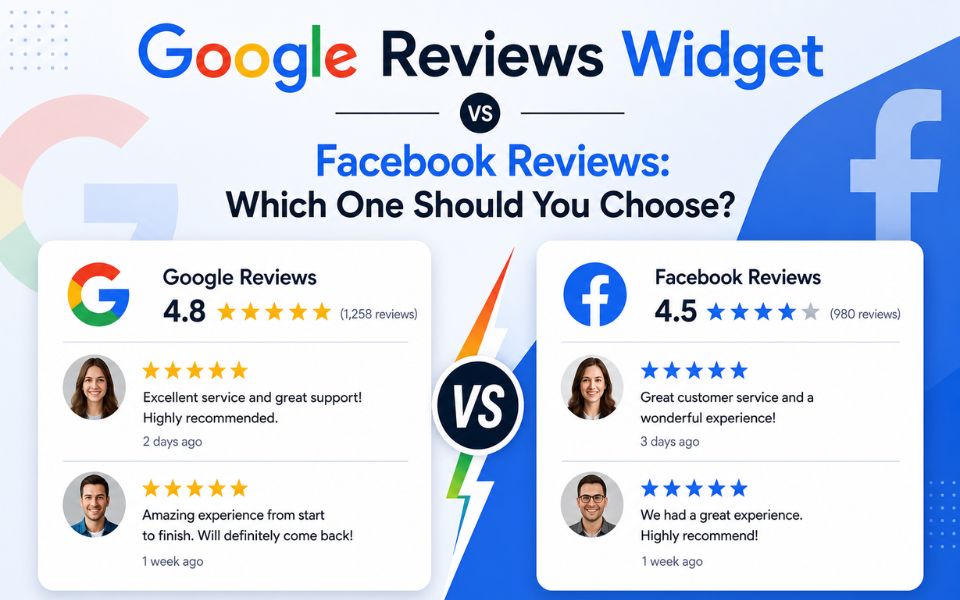
Online reviews have become one of the biggest factors influencing customer decisions. Before making a purchase, booking a service or contacting a business, most people look at reviews to understand the experiences of previous customers.
Displaying these reviews directly on your website is an excellent way to build credibility and encourage visitors to take action. This is where review widgets come in.
Google dominates local search, while Facebook remains one of the largest social media platforms with billions of active users. Both allow businesses to collect customer feedback, but they serve different purposes.
Google Reviews Widget vs Facebook Reviews: Quick Comparison
| Feature | Google Reviews Widget | Facebook Reviews Widget |
| Main Purpose | Build trust for local search | Build social credibility |
| SEO Benefits | Excellent | Limited |
| Customer Intent | High purchase intent | Community engagement |
| Search Visibility | Appears in Google Search & Maps | Limited search visibility |
| Review Authenticity | Highly trusted | Trusted but more social |
| Best For | Local businesses & service providers | Brands with active Facebook audiences |
| Automatic Updates | Yes | Yes |
| Website Conversion | High | Moderate to High |
What Is a Google Reviews Widget?
A Google Reviews Widget displays reviews from your Google Business Profile directly on your website.
Instead of visitors leaving your website to check Google ratings, they can see authentic customer reviews without navigating away.
A Google Reviews Widget displays:
- Star ratings
- Customer comments
- Reviewer names
- Review dates
- Business rating average
- Photos (in some widgets)
Many businesses use widgets to automatically update reviews whenever new ones are posted on Google.
What Is a Facebook Reviews Widget?
A Facebook Reviews Widget displays customer recommendations and reviews from your Facebook Business Page.
Unlike Google Reviews, Facebook reviews are integrated with a social platform where customers often engage through likes, comments, shares, and recommendations.
These widgets typically show:
- Customer recommendations
- Reviewer profiles
- Ratings (where applicable)
- Review text
- Photos
- Engagement signals
Businesses with active Facebook communities use these widgets to showcase customer experiences while reinforcing their social presence.
Why Google Reviews Usually Have More Influence
When comparing Google Reviews Widget vs Facebook Reviews, Google often has the advantage because customers usually search Google immediately before making a purchasing decision.
For example:
- “Best dentist near me”
- “Coffee shop reviews”
- “Digital marketing agency”
- “Hotel near airport”
These searches happen with strong buying intent.
Showing Google reviews on your website reinforces the same trust customers already experienced during their Google search journey.
This consistency often improves conversion rates because visitors don’t need additional reassurance.
Where Facebook Reviews Shine
Facebook reviews offer a social image that Google cannot always provide. Facebook is a social platform that has a wider social network and people post their views and thoughts there.
Customers can see:
- Mutual connections
- Profile activity
- Photos
- Community interactions
- Conversations around recommendations
This creates a personal feeling and makes people connected to the brand.
Businesses that rely heavily on community engagement, lifestyle branding, or customer relationships may find Facebook Reviews particularly valuable.
Examples include:
- Restaurants
- Fitness studios
- Beauty salons
- Cafes
- Fashion brands
- Local communities
- Event organizers
SEO Benefits: Which Review Widget Helps More?
Both have different implications and uses. Both are set for different audiences and different purposes. You can check them below:
Google Reviews Widget
Google Reviews naturally align with Google’s ecosystem. Google reviews are shown in every Google app, wherever possible.
Benefits include:
- Builds customer trust
- Supports local SEO signals
- Increases engagement
- Keeps visitors on your website longer
- Reinforces your Google Business Profile
Although embedding reviews themselves isn’t a direct ranking factor, positive user engagement and strong trust signals can indirectly support SEO performance.
Facebook Reviews Widget
Facebook reviews provide less SEO advantages.
Instead, they primarily help by:
- Increasing social proof
- Building brand authenticity
- Encouraging visitors to follow your Facebook page
- Supporting social marketing campaigns
If your traffic primarily comes from social media, Facebook Reviews may complement your strategy effectively.
Which Widget Builds More Customer Trust?
Both platforms contain authentic customer feedback, but customers often perceive them differently.
Google Reviews
Customers generally associate Google with:
- Objective information
- Local businesses
- Maps
- Search results
- Independent reviews
This often leads to higher trust.
Facebook Reviews
Being a social media platform, Facebook reviews feel more personal.
Customers value them because they can:
- View reviewer profile
- See photos
- Read conversations
- Explore community engagement
The choice depends on your audience.
If customers discover you through Google Search, Google Reviews usually create stronger confidence.
If customers interact with your brand primarily through Facebook, Facebook Reviews may feel more relatable.
User Experience Comparison
A good review widget should enhance, not slow down, your website.
Consider the following factors:
Google Reviews Widget has
- Clean layouts
- Easy customization
- Automatic syncing
- Minimal distractions
- Professional appearance
Facebook Reviews Widget
- Social-style design
- Rich visual content
- Interactive appearance
- Strong community feel
Both should be optimised with lazy loading and responsive design to avoid affecting website speed.
Best Industries for Google Reviews
Google Reviews Widgets work particularly well for:
- Hotels & restaurants
- Marketing agencies
- Consultants
- Local retailers
- Educational institutes
- Repair services
- Home services
These businesses often depend heavily on Google Search visibility; they get customers as they appear on Google and the reviews they’ve got by public.
Best Industries for Facebook Reviews
Facebook Reviews Widgets perform well for:
- Fashion brands
- Fitness centers
- Gyms
- Salons
- Cafes
- Photographers
- Event planners
- Travel companies
- Nonprofits
- Community organizations
These industries typically benefit from ongoing social engagement.
Can You Use Both Together?
Absolutely. Many businesses make the mistake of choosing only one. In reality, combining both often creates stronger social proof.
A review aggregator or customer reviews widget can display reviews from multiple platforms, allowing visitors to see feedback from Google, Facebook and even other review sites in one place.
The approach:
- Increases credibility
- Demonstrates transparency
- Highlights diverse customer experiences
- Builds trust faster
- Reduces dependence on a single platform
Factors to Consider Before Choosing
Before selecting a review widget, ask yourself:
Where do customers usually find your business?
If visitors come through Google Search, prioritise Google Reviews.
If your audience engages more through Facebook, Facebook Reviews may be a more effective option for you.
Which platform has more reviews?
Displaying 500 Google reviews generally creates more confidence than displaying 20 Facebook recommendations.
Choose the platform where your business has built the strongest reputation. Higher number of reviews
What are your marketing goals?
If your goals include:
- Local SEO
- Higher website conversions
- Better search visibility
Google Reviews are usually the stronger option.
If your goals include:
- Community building
- Social engagement
- Brand awareness
Facebook Reviews become more valuable.
Common Mistakes Businesses Make
There are some mistakes that businesses make while integrating their review feed on their website. Here are some common mistakes that businesses make; make sure you avoid them:
- Showing outdated reviews
Your reviews must not be too old; old reviews show that you’re not performing now. Keep your feed updated.
- Displaying only a few reviews
Showing only a few or good reviews is also not a good thing. Consumers tend to trust more when they see a realistic rating, for example, 4.2 or 4.7. Show a large number of reviews so that you can get more accurate ratings.
- Ignoring negative reviews instead of responding professionally
Don’t hide or ignore your negative reviews; it shows that you fear your negatives. Instead, respond to them professionally, take them as feedback and work on them to make yourself better.
- Using widgets that slow down website performance
Don’t overload your website with so many reviews or heavy widgets. It slows down the website and interferes on scrolling the website which hampers user experience.
- Placing review widgets where visitors rarely see them
Place the review widgets strategically where people see them, placing them at places where the audience doesn’t go is useless.
- Choosing style over readability
Don’t style too much so that people aren’t able to read the reviews; keep them simple and in a readable position. Don’t format text or review size too much.
Authenticity matters more than perfection. A mix of positive and constructive reviews appears more trustworthy than a flawless five-star profile.
Best Practices for Displaying Review Widgets
To maximise results:
- Place your widget near call-to-action buttons.
- Highlight recent reviews to keep content fresh.
- Use responsive layouts for mobile users.
- Enable automatic syncing so reviews stay up to date.
- Display star ratings prominently.
- Combine reviews with customer photos where possible.
- Monitor widget loading speed to maintain website performance.
- Encourage satisfied customers to leave genuine reviews regularly.
- Use schema markup where supported by your widget provider to enhance search visibility.
- Test different widget placements to find what drives the highest engagement.
Final Verdict: Google Reviews Widget vs Facebook Reviews
If your focus is local SEO, search visibility, lead generation and converting high-intent visitors, a Google Reviews Widget is the stronger choice. It reinforces the trust customers already place in Google Search and Google Business Profiles, making it especially valuable for service-based and local businesses.
And if your brand thrives on community engagement, social interactions and relationship-building, a Facebook Reviews Widget can add a more personal and interactive layer of social proof that resonates with audiences active on Facebook.
For many businesses, the most effective strategy isn’t choosing one over the other; it’s combining both. By showcasing reviews from multiple trusted platforms through a customer reviews widget or review aggregator, you provide a fuller picture of customer satisfaction, strengthen credibility and increase visitors’ confidence in your brand.
Frequently Asked Questions (FAQs)
Is a Google Reviews Widget better than a Facebook Reviews Widget?
It depends on your goals. A Google Reviews Widget is generally better for local SEO, search visibility, and businesses that rely on Google Search traffic. A Facebook Reviews Widget is ideal for brands with strong social media communities and engagement.
Does embedding Google Reviews improve SEO?
Embedding reviews isn’t a direct Google ranking factor, but it can improve user engagement, increase trust, reduce bounce rates and support local SEO efforts indirectly. It may help increase local visibility.
Can I display both Google and Facebook reviews on my website?
Yes, many businesses use a review aggregator or customer reviews widget to showcase reviews from multiple platforms, creating stronger social proof and a more comprehensive customer experience.
Which review platform is more trusted?
Google Reviews maybe perceived as more objective because they’re closely tied to Google Search and Maps. Facebook Reviews can feel more personal due to visible profiles and community interactions. Trust ultimately depends on your audience and the quality of your reviews.
Which widget is better for local businesses?
For most local businesses, a Google Reviews Widget is the preferred choice because customers frequently discover local services through Google Search and Maps.