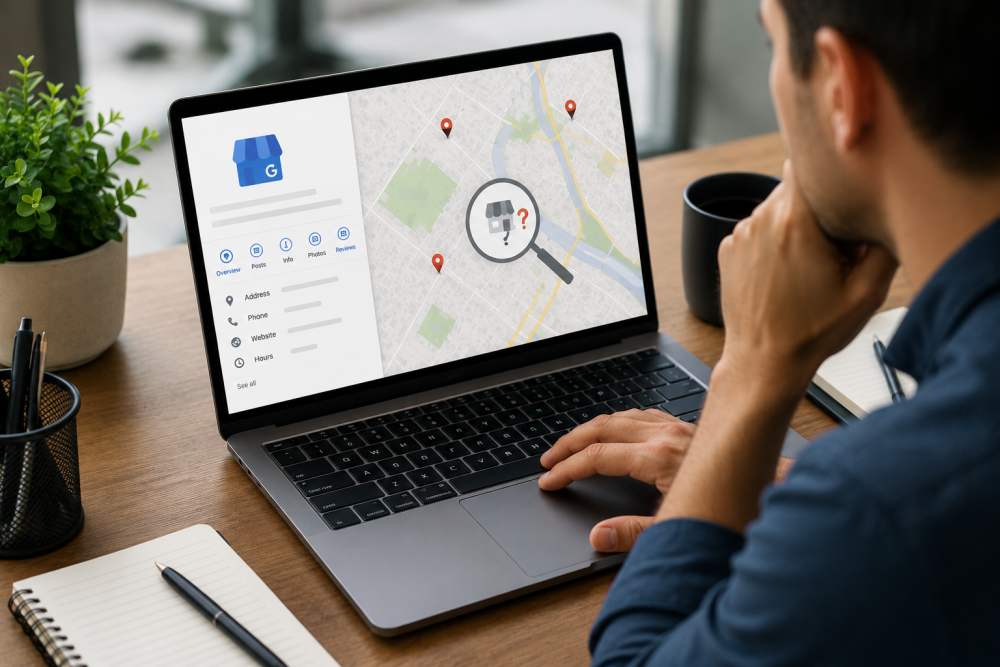
So you’ve set up your Google Business Profile.
You added NAP, which is your business name, address, and phone number. Maybe threw in a couple of photos.
Then you search for your business on Google Maps and… nothing.
Or it shows up one day and disappears the next. No explanation. No error message. Just gone.
I hear this from small business owners all the time.
The frustrating part is that most of them did everything they were supposed to do. They followed the steps. They filled in the fields. They thought they were good to go.
Here’s the thing, though. Creating a profile and actually being visible on Google Maps are two very different things.
So let’s go through the real reasons this happens and what you can actually do about it.
First Thing – Did You Actually Verify the Profile?
This is where most people get caught out.
When you create a Google Business Profile, Google doesn’t just take your word for it that the business is real. They want proof.
So they send you through a verification process. Usually a postcard with a code. Sometimes a phone call, an email, or a short video walkthrough of your premises.
Until that step is completed, your business simply won’t show up.
The tricky part is that a lot of business owners think they’ve already done this. They filled out the profile, it looked complete, and they assumed it was live.
It’s not the same thing.
Check your dashboard right now. Look for anything that says “Verify Now” or “Pending Verification.” If it’s there, that’s your answer.
Postcard verification takes up to two weeks to arrive. Don’t ignore it when it does.
Your Business Information Might Be Working Against You
Let’s say you are verified. Great.
But that doesn’t automatically mean you’re going to rank.
Google looks closely at how complete and consistent your information is. And it’s not just about your profile. It’s about whether your business details match across the entire internet.
Here’s a real example of what trips people up.
Your Google profile says “Level 2, 45 King Street.” Your website footer says “45 King St, Level 2.” Your Facebook page says “45 King Street.”
To a human, all three look the same. To Google’s algorithm, those are inconsistencies. And inconsistencies create doubt.
When Google doubts your listing, it quietly pushes you down the results. Sometimes off the page entirely.
What to look at:
- Is your business name exactly the same everywhere
- Is your address formatted the same way on your profile, website, social pages, and directory listings
- Is your phone number consistent across everything
- Have you selected a specific business category, not just a generic one
This stuff sounds boring. It kind of is. But it’s also the difference between showing up and not showing up.
There’s a Chance Your Listing Got Suspended
This one surprises people more than anything else.
Google suspends business listings more often than most people realise. And they don’t always send a clear notification about it.
Your listing just quietly disappears. You might not notice for weeks.
Some common reasons it happens:
Keyword stuffing in your business name. If your business is called “Sunrise Cafe” but your profile says “Sunrise Cafe Best Coffee Brunch Sydney CBD,” Google will catch that. Your business name should match your real-world signage. Nothing more.
Using a virtual office or P.O. box. Google doesn’t treat these as legitimate business locations. If you work from home, set a service area instead of listing a fake address.
Duplicate listings. Maybe you created a profile years ago and forgot about it. Maybe someone else created one for your business. Either way, duplicates confuse Google and can get your listing flagged.
If you suspect a suspension, check your dashboard for warning messages. Fix the issue, then submit a reinstatement request.
Google Uses Three Factors to Decide Who Shows Up
Even with a clean, verified profile, you’re still competing with every other business in your area.
Google uses three things to decide who makes the cut.
Relevance. Does your business match what someone searched for? If someone types “Italian restaurant near me” and your category just says “Restaurant,” you’re already at a disadvantage against a competitor who listed themselves specifically.
Distance. Google prioritises businesses closer to the person searching. Simple as that.
Prominence. This is the big one. It’s basically how much Google trusts your business based on everything it can find about you online. Reviews, backlinks, directory listings, website quality, how long you’ve been active. All of it counts.
If your competitors have been on Google for three years and you just created your profile, prominence is probably why they’re ranking and you’re not. It takes time to build, but it’s absolutely buildable.
No Reviews Is a Bigger Problem Than You Think
A profile with no reviews is a profile Google doesn’t have much confidence in.
Think about it from Google’s perspective. They want to show users businesses that real people have actually visited. Zero reviews signals that the business is either brand new, inactive, or not worth showing.
You don’t need hundreds. Even five to ten genuine reviews can make a noticeable difference.
The best way to get them is to simply ask. Text a customer after a job. Add a Google review link to your email signature. Most people are happy to leave one if you make it easy.
And respond to every review you get, good or bad. It shows Google your profile is active and that you actually care.
Sometimes You Just Need to Wait
If everything looks right and you’re still not showing up, it might genuinely be a timing issue.
New profiles, recently updated profiles, or profiles in competitive areas can sit in a review queue on Google’s end. There’s no progress bar. No update. You just have to give it time.
Two to four weeks is usually enough. If you’re still invisible after that, then dig deeper.
Building Local Authority Over Time
Getting onto Google Maps is one thing. Staying visible and ranking well is another.
What really moves the needle long term is building local authority.
This means getting your business mentioned consistently across the web. Local directories. Industry listings. A mention in a local article. A link from a business partner’s website.
Every time your business name, address, and phone number appear somewhere credible online, it sends a small trust signal to Google.
Enough of those signals stacked up and Google starts treating your listing as a reliable, established business.
Regular activity on your profile helps too. Posting updates, uploading photos, answering questions in the Q&A section. It all tells Google your business is active and worth showing to searchers.
Quick Checklist Before You Do Anything Else
- Profile fully verified?
- Business name identical everywhere?
- NAP consistent across all platforms?
- Correct and specific business category selected?
- Any suspension notices in dashboard?
- Duplicate listings checked and removed?
- At least a handful of genuine reviews?
- Photos added and reasonably recent?
- Website linked and loading correctly?
- Business hours filled in accurately?
Start there. Most of the time the answer is sitting somewhere in that list.
If You’ve Tried Everything and Still Can’t Figure It Out
Sometimes the issue isn’t something you can spot from inside your own dashboard.
It might be citation conflicts buried across dozens of old directory listings. It might be a trust signal problem that needs a proper audit. It might be that your competitors are doing something specific that’s pushing them above you.
This is where a lot of business owners reach out to a local SEO expert.
Not because they couldn’t handle the basics, but because the deeper stuff genuinely benefits from someone who does this every day.
If that’s where you’re at, feel free to check out my Upwork profile here. I work directly with small business owners on exactly these kinds of problems. No jargon, no long contracts, just practical work that moves things forward.
FAQs
How long does it take for a Google Business Profile to show up on Google Maps?
For most businesses, somewhere between a few days and two weeks after verification. If your profile triggered a manual review, it can stretch to four weeks.
Why does my listing appear sometimes but not others?
Usually, inconsistent information across platforms or a prominence score that isn’t strong enough to rank consistently. Google shows different results depending on where the searcher is and how relevant your listing looks for that specific search.
Can I show up on Google Maps if I work from home?
Yes. You don’t need to display a physical address. Set up a service area in your profile instead, and Google will show your business to people searching within that area.
What causes a Google Business Profile to get suspended?
Usually something that doesn’t follow Google’s guidelines. Keyword stuffing in your business name, using a non-legitimate address, or having duplicate listings are the most common causes. Fix the issue and submit a reinstatement request.
How much do reviews actually affect my ranking?
More than most people expect. Reviews feed directly into Google’s prominence score. A business with a steady flow of genuine reviews will almost always outrank a similar business with none.
What is NAP consistency and do I really need to worry about it?
NAP stands for Name, Address, and Phone number. Google checks whether your details match across your website, social profiles, and online directories. Even small formatting differences can affect your visibility. Worth tidying up.
I fixed everything but still can’t rank in the top three results. What now?
The local 3-pack is competitive. If the basics are in order, the next step is building local authority through citations, backlinks, and consistent profile activity. It’s a longer game, but it works.