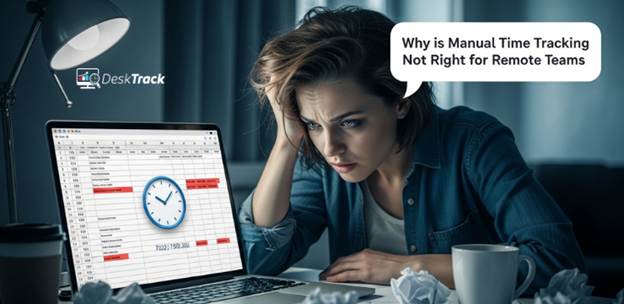
In 2026, remote and hybrid work settings are even more prominent than ever. However, you are not surprised by this fact. Are you? Your main concern is the time they are dedicating to their work. However, the real problem starts here. There is no consistent time bracket for your distributed workforce. Plus, almost all of them even work 1-2 hours more than your regular in-office or desk employees, teams, workers, and human resources. So, how do we accrue this? Here’s why manual time tracking fails for remote teams and the ultimate time tracking solution you need right now. Let’s begin.
The Top 4 Challenges in Remote Team Time Tracking
Tracking the time of remote teams, employees, and workers manually, via spreadsheets, or through timesheets, is complex, overwhelming, and creates confusion as well due to multiple time zones. Here are the top 4 challenges in remote team time tracking.
1. Human Errors
The first thing is that manual time tracking is prone to human errors and confusion. Then, all these pile up to cause burnout. For example, an employee clocking in at 9:00 AM in India is reflected as 10:30 PM of the previous night in the USA. However, that’s just one time zone in the country. The more head-scratching thing is that there are 4 time zones in the USA. So, manual time tracking will show different work hours, leading to payroll inefficiencies. Other than that, manual timesheeting had always been irksome. However, there are also flexible hours you need to account for when payrolling remote teams, workers, and employees. Additionally, don’t forget that your work-from-anywhere people also do half days, take time off, and work overtime, just like your desk workforce. So, manual time tracking fails miserably due to this. So we need something real-time and automated, such as time tracking software.
2. No Real-Time Visibility
Manual time tracking never gives you real-time visibility. It only shows you work hours in complex sheets, which are not enough to know how efficiently your remote teams are working. Trust is one thing, but it’s far from the truth. According to our experience and a little research we did, we found a few things that could happen if you don’t track your remote teams, employees, and workers with software for automated time tracking.
- Employees can appear online by keeping their internet connection on. However, once that’s done, they can sleep or dance around during work hours.
- Employees can also use VPN to mask their location, appearing to be somewhere outside, while in reality they will be inside their house. If an employee is smarter, they will also switch off their GPS, citing privacy reasons.
- Remote employees can easily enter false times in the sheets to show that they worked.
So, now you know the 3 reasons you need online time tracking and employee monitoring software.
3. No Project-Level Insights
Manual time tracking never shows you in-depth project-level insights. These are the details you need to bill your clients just right and also track real-time project progress. So you either underbill clients, excluding crucial untracked work hours, such as bug fixes or overbill clients by adding unnecessary hours to the invoice, such as phone calls and meetings not directly related to the project. So, you need non-billable hours tracking software to fix this problem for you.
4. Delayed Communication Loops
When you have a distributed workforce, the multiple time zones always make it tough to communicate. It’s simple math. For example, if you call an employee living in New York while it’s 9:00 AM in India, they are probably dreaming about weekend plans while snoring. Jokes aside, you get what we mean. Right?
Conclusion
With that, we are done putting our post for this title, Why is Manual Time Tracking Not Right for Remote Teams, under wraps. To summarize, conclude, and provide you with a final word, we would say that managing the time and payroll of remote teams is not simple at all. Distributed employees clock in and out at different times, which can be due to various time zones or flexible work hours. Consistently tracking these inconsistent work hours manually will not work. So, you implemented time tracking software. Now you need to boost productivity with productivity monitoring software, known as DeskTrack.