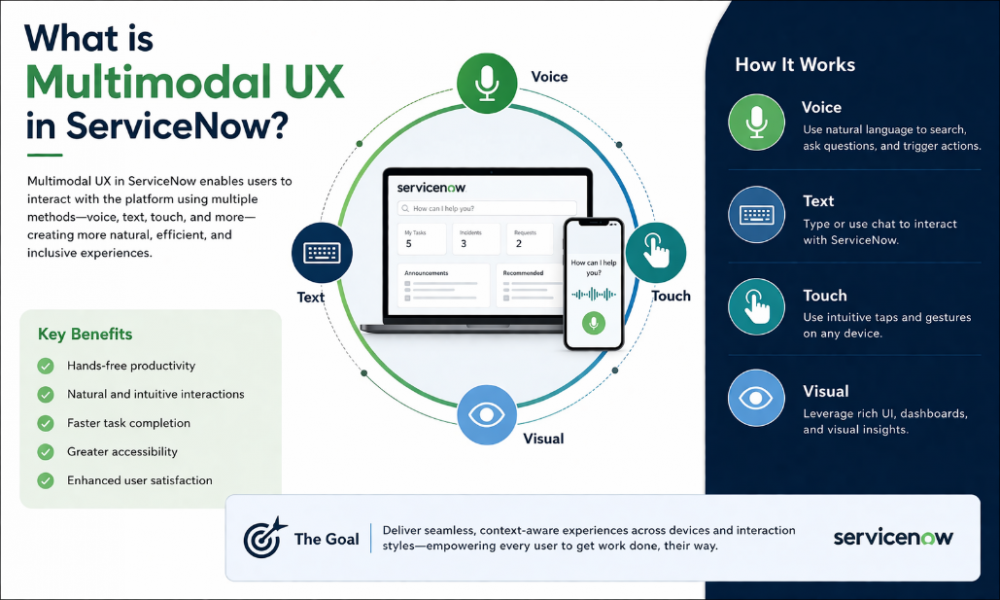
We are living in the fast-moving world of technology, and the way we use computer systems has changed a lot. For a long time, we have been totally stuck typing into boxes and clicking buttons on a screen. But now, this has changed due to ServiceNow, which has led to a change towards Multimodal UX.
In this article, we are going to discuss in detail What is Multimodal UX in ServiceNow. If you are looking to understand this, then applying for the ServiceNow classes can help you learn this from scratch. Here you can learn everything from scratch. Well, it is one of the important parts of ths platform that you need to learn. This can make the software feel less like a tool and more like a helpful teammate.
What Exactly is Multimodal UX?
Well, multimodal UX is a design of digital products that allows users to interact by using multiple modes, such as voice, touch, gesture, gaze, and vision, either simultaneously or interchangeably. Well, Multimodal UX mainly focuses on natural human communication solely on the screen and keyboard.
Features of Multimodal UX:
Here we have discussed ome of the key features of the Multimodal UX. If you apply for the ServiceNow Training in Noida this will enable you to take benefit of these features in practice:
1. Natural Voice Commands:
Well you can activate the voice modern where you just have to speak to the app. This work as a smart speaker where you can say things like “I need to order a new mouse” or “My laptop is acting slow,” The system will understand your command and what you mean. Also this will listen to your intention rather than just searching for specific keywords. This will make you feel like you are collaborating with helpful assistant.
2. Picture and Document Scanning:
Typing in long serial numbers or complicated part names is frustrating and leads to mistakes. With this feature, you just point your phone camera at a barcode, a piece of broken equipment, or a paper form. The software “reads” the image and automatically puts the information into the right boxes for you. This saves a huge amount of time, especially for people who are out in the field and don’t have a desk.
3. Smart Summaries:
Coming back from a vacation is a headache because you have to read hundreds of old messages to know what happened. This feature does the boring work for you. It reads all the old chats and notes, then gives you a quick 2-minute update. You get the main points instantly and don’t feel lost when you start your work.
4. Biometric Security:
Remembering passwords is the worst part of any job. We always forget them as well as locked out. Now you would be able to use the face or fingerprint to log in, exactly like you do on your phone. It is one of the fastest, safest way where you never need to click “Forgot Password” ever again.
5. Adaptive Screens:
Not everyone sits at a desk all day. Some people work while walking or using a tablet. This feature makes sure the app looks good on every screen. On a phone, the buttons get bigger so they are easy to tap. On a big computer, it shows more details. It just fits perfectly wherever you are.
6. Haptic Feedback (Touch Alerts):
It is your phone that give you alert regarding the vibration that will tell you something happened. If you send a report, you’ll feel a quick buzz in your hand. It’s a great way to know your work went through without having to stare at the screen every single second.
7. Real-Time Translation:
When you are working with the someone who is from the different country and speaking another language, there is no problem. You can type in your language and they might see it in theirs. So when they reply this will show in your native language. This can help make working with the people around the world easy.
8. Gesture Control:
Sometimes your hands are dirty, or you’re wearing gloves and can’t touch the screen. With this, you can just wave your hand in the air to scroll through a page or click a button. The camera sees your hand moving and does the job. You don’t have to clean your hands just to check an app.
9. Predictive Suggestions:
If you are always opening the same file every Monday morning, it will have that file ready for you before you ask for the same. This acts like an assistant who have an idea regarding your routine activities and will save you from doing the same boring clicks all the days.
10. Digital Drawing and Markup:
Sometimes this get easy to draw a circle around the problem than to describe this. Well you can now make sketch or take note directly on the images within the platform for showing exactly what need to be solved.
Conclusion:
The goal of all these technologies is quite simple, which is to make work less of a chore. When the software can understand us, we spend less time fighting with the systems and more time working on what matters. Whether you are taking your first ServiceNow Admin Course or you are a professional, the move to Multimodal UX is the biggest change you will see this decade.