Description: This comprehensive guide explains everything you need to know about MSG files, the email file format used by Microsoft Outlook. It covers the definition, technical background, and file structure of MSG files, including property streams, body streams, attachment storage, and metadata preservation. The article also explores key features, data components stored within MSG files, methods to open them with or without Outlook, and conversion options for migration. Additionally, it highlights the advantages and limitations of MSG files, making it a complete resource for understanding their role in corporate communication, legal documentation, and email archiving.
Email has been one of the most important communication tools for individuals and businesses. Every email contains valuable data while sending or recieving such as conversations, attachments, contracts, invoices, and confidential information. As it makes it easy to choose the right email storage format is crucial for security, accessibility, compliance, and long-term data preservation.
One of the popularly used formats in Microsoft environments is MSG files, especially within Microsoft Outlook. Every MSG file contains a single email along with all its components, including the subject line, sender and recipient details, message body, attachments, and metadata.
MSG files are considered to be in binary format, allowing them to preserve the original structure and formatting of the email exactly as it appears in Outlook. They are broadly used in corporate environments, legal documentation, compliance audits, and email evidence preservation.
What are MSG Files?
MSG files are email files created and used by Microsoft Outlook. An MSG file stores a single email message along with all its associated components, considering:
- Subject line
- Sender and recipient details
- Date and time stamps
- Email body(HTML, RTF, or plain text)
- Attachment
- Metadata and message properties
Technical Background
MSG files are based on Microsoft’s compound file binary format, also known as the OLE (Object Linking and Embedding) structure. This format also allows multiple data streams to be stored within a single file.
- It stores message properties using MAP(messaging application programming interface)
- Encoded metadata such as sender ID, message class, and timestamps
- Preserve original formatting and structure
File Structure
A MSG file uses a structured storage system that contains multiple streams and substreams. It includes;
Property Streams
These contain data like;
- Subject
- sender name and email address
- Recipient details
- Message ID
- Creation and delivery time
Body Streams
Stores the actual content of the email in:
- Plain text format
- HTML format
- Rich Text format
Attachment Streams
Every attachment is stored as a separate sub- storage object inside the MSG file they includes;
- File name
- MiME type
- Binary content
Recipient table
Contains structured information about:
- To
- CC
- BCC recipient
Features of MSG Files
MSG files are structured to store a complete individual email message exactly as it appears in Microsoft Outlook. They are popularly used in corporate and legal environments because of their reliability, structured storage, and ability to preserve original email properties.
- Single email storage
- Complete data encapsulation
- Submitting email evidence
- Archiving important communication individually
Data Components Stored in MSG file
MSG files include both visible content and hidden technical properties. Mention are the main components.
Message Header information
- Subject line
- Sender name and email address
- Recipient detail( TO,CC, BCC)
- Date and time stamps
- Message ID
Email body content
- Plain text version
- HTML version
- Rich text Version
Attachment
- It contain file name
- MIME Type
- BINARY file data
Metadata preservation in MSG files
One of the most crucial features of MSG files is their ability to preserve detailed.
What is Metadata?
Metadata refers to the background information about the email that is not visible always but is important for tracking for verification.
- MSG files preserve
- Delivery time
- Creation time
- Sender serve details
- Messages routing information
- read/ unread status
- Important level
- Categories and flags
How to open MSG files
Since they are created and used by Microsoft, the method you can use to open them on is the Outlook is installed on your system or not. There are some methods that helps to open MSG file.
Using Outlook(Recommended method)
It is most simple and reliable method to open MSG files is by using Microsoft Outlook.
Step to open ,MSG files in outlook:
- Firstly make sure you have installed on your computer
- Locate the MSG file on your system
- Double- click the file
- Then the email will automatically open in outlook
Open MSG files without Outlook
There are multiple third-party MSG viewer tools thst sllows you to;
- Read email content
- View attachment
- Access metadata
Using online viewer
Some online service allow MSG file upload for viewing. However you need to protective when uploading confidential or sensitive email due to privacy risk.
Convert MSG to EML format
You can convert MSG files into EML format, which is supported by;
- Thunderbird
- Window Mail
- Other Email client
Using converter
If you want to open multiple files or migrate them to another email platform, conversion you are recommended to use SysTools MSG converter.
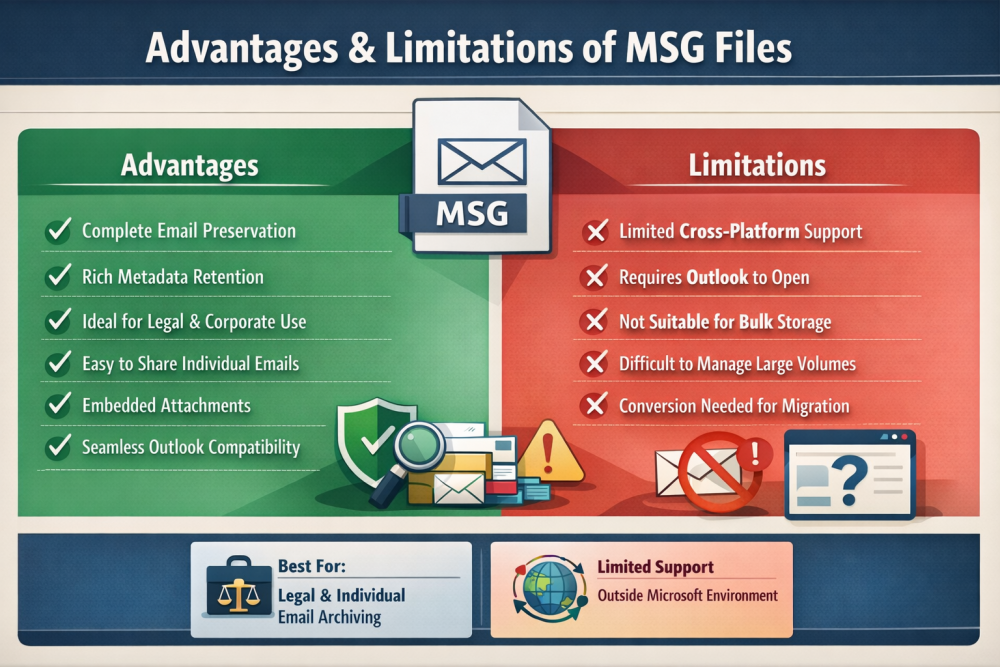
Advantages of MSG files
- Email Preservation Complete
- Strong Metadata retention
- Ideal for legal and corporate use
- Easy sharing of individual email
- Attachment integration
Limitation of MSG files
- It requires conversion for migration
- Consumes larger storage overhead
- Outlook dependency