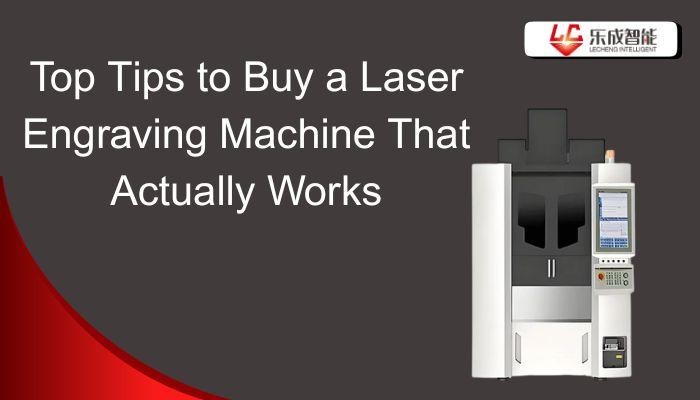
Laser engraving equipment has gained popularity very quickly among DIY enthusiasts, small businesses, and industrial manufacturing. From wooden gifts customized to fit an occasion to engraved metal parts, these machines are precise, fast, and offer versatility to a degree that other tools fail to achieve.
Nevertheless, purchasing an inappropriate laser engraving machine may result in poor engraving quality, safety hazards, and financial loss.This guide contains practical, experience-based tips to help you buy confidently and knowledgeably, whether you are a beginner or scaling a business.
Understand Your Needs Before Buying
The first thing to consider before purchasing a laser engraving machine is to determine its use. Some individuals may use it as a hobby to create simple DIY projects, gifts, or home décor. Others use them for small-scale businesses to develop custom products, signs, or branded objects. Laser engraving machines are used in factories to mark parts and handle large-scale production.
You should also consider what materials you want to engrave, such as wood, leather, acrylic, plastic, metal, and glass. It is like selecting a vehicle—one designed for smooth roads may not suit rough roads. The perfect laser engraver is the one which suits your purpose.
Decide on the Laser Type
Choosing the correct laser technology is critical.
- CO2 laser engraving machines: Best for wood, acrylic, rubber, leather, and glass.
- Fibre laser engraving machines: Perfect for metal engraving, such as stainless steel, brass, and aluminium.
- Diode laser engravers: Small, affordable, beginner-friendly, and lightweight.
The most frequent and costly mistake is choosing the wrong laser type.
Consider the Workspace Size
Machine bed size should align with your project dimensions.
- Small beds restrain creativity and size of orders.
- The bigger bed sizes permit flexibility and expansion in future.
Always plan for expansion, especially if you intend to commercialize your work.
Check the Machine Specifications Carefully
Before making a final decision, it is important to carefully check the machine specifications to make sure it can handle your work properly.
Laser Power
Laser power is what determines the speed and the depth of the machine to be engraved. 5W to 10W machines are suitable for light engraving and simple marking. Machines in the 20W to 40W range are suitable for small businesses and support various materials. Machines with a high power of more than 50W are intended to be used in industries and big-scale production. Higher power allows faster processing and ensures consistent results when handling bulk orders.
Precision and Resolution
Accuracy is a major factor in engraving. The machines that have a high DPI produce more accurate and vivid designs. Servo motors are more controlled and smooth than the stepper motors and therefore give more precise control.When engraving detailed or intricate designs, accuracy is more valuable than high power alone.
Build Quality and Materials
Build quality ensures the machine lasts longer and performs better. The use of metal frames enables minimization of vibration and enhances accuracy when engraving. Proper cooling and ventilation prevent the machine from overheating. A high quality machine provides consistent and stable performance over a long period of time.
Evaluate Software Compatibility
Before choosing a laser engraving machine, it is important to check whether the software works well with your skills and design needs.
Ease of Use
The ease of use of the machine is significantly influenced by the software. Software that is friendly to the novice learners means that one can acquire knowledge at a rapid pace and complete their projects with ease. The sophisticated software is applicable to those experienced with the software and desire more control and customization. Popular software that can be used to engrave lasers includes LightBurn, RDWorks, and LaserGRBL.
File Format Support
The software should support popular design file formats such as SVG, DXF, AI, and PDF. This eases the importation of designs that have been made in graphic designing tools. The compatibility with the files is of particular importance with detailed or professional design.
Firmware Updates and Support
Periodic updates of the firmware are also useful to enhance the stability of a machine, as well as safety equipment and the overall effectiveness of the machine. It is also easier to solve problems and ensure the machine runs well in the long term, and this is due to good manufacturer support and active user community.
Consider Safety Features
Before buying a laser engraving machine, it is important to think about safety features that protect both the user and the workspace.
Enclosed vs. Open Frame Machines
Enclosed machines are safer because they limit direct exposure to laser beams and fumes. Open-frame machines are still operable; however they need additional precautions, safety glasses and other protective needs. The first concern should be safety.
Emergency Stop and Sensors
Good machines include safety features such as emergency stop buttons, fire sensors, and automatic shut-off.The features are useful in avoiding accidents and guarding against damage to the machine.
Proper Ventilation
Laser engraving emits fumes that are harmful in case they are not managed well. Machines that are fitted with exhaust systems are very much preferred. Adequate circulation of air maintains the workplace clean as well as ensures the machine lasts longer.
Research the Brand and Reviews
Before making a purchase, it is important to research the brand and read customer reviews to avoid future problems.
Manufacturer Reputation
The established and high-profile brands tend to offer higher quality management, quality customer care, and established performance throughout the years. Machines with lower prices supplied by unknown vendors might be quite attractive but not very durable and reliable.
Customer Reviews and Testimonials
Reviews When reading reviews, you should notice recurring complaints or recurring compliments. Customer support feedback and comments which are provided in the long run are particularly useful. The general trends on reviews are stronger than individual or two views.
Warranty and After-Sales Service
Always verify warranty, availability of spare parts and availability of technical support. The good after-sales service is an added value that gives peace of mind even after the purchase.
Budget Considerations
When choosing a laser engraving machine, it is important to think carefully about your budget and long-term costs.
Balancing Cost vs. Features
Very cheap machines often lack important features such as safety protection, accuracy, and durability. Spending a little more at the start usually means better performance and fewer issues later.
Long-Term Costs
The total cost is not just the purchase price. You should also consider ongoing expenses like maintenance, replacement lenses or tubes, and optional software upgrades. These costs add up over time.
ROI for Business Use
For businesses, investing in a quality machine can increase productivity, speed up order completion, and improve customer satisfaction. A reliable laser engraving machine can recoup its cost through consistent performance and long-term use.
Test the Machine if Possible
Whenever feasible
- Go to local suppliers/makerspaces.
- Request sample engravings
- Compare speed, precision and ease of use.
Practical testing reveals what cannot be determined through specifications alone.
Conclusion
After purchasing a laser engraving machine, success hinges on what you need, how your needs affect your choice and the careful consideration of the specifications and the focus on safety and quality rather than prices. Hurried decision-making frequently results in regrets whereas a well-informed choice brings sustained efficiency and development in the long run.
La Laser believes the right laser engraving machine is not just a tool, it’s an investment in creativity, productivity, and reliability. Take your time, research thoroughly, and choose wisely.
FAQs
Can one laser engrave all materials?
No. CO2 lasers work best for non-metals, while fiber lasers are required for metal engraving.
Is laser engraving safe for home use?
Yes, when proper safety features, ventilation, and protective measures are in place.
How long does a laser engraving machine last?
With proper maintenance, quality machines can last many years, even in commercial environments.