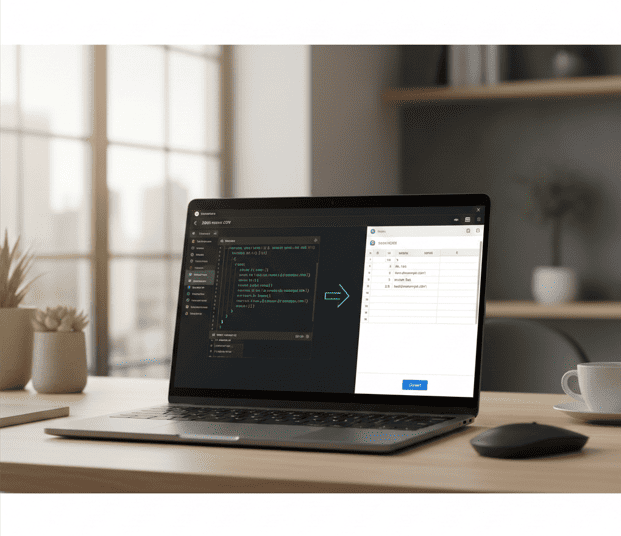
Today, data is everywhere. From school projects to business reports, people work with different types of files every day. Sometimes the data comes in JSON format, and other times it is needed in CSV format. This is where a simple online tool can make a big difference.
Instead of writing code or using complex software, you can use an online converter to change your data in seconds. It saves time, reduces errors, and makes your work much easier.
In this article, we will explain what JSON and CSV are, why people change one into the other, and how a simple online tool can help.
What Is JSON?
JSON stands for JavaScript Object Notation. It is a text-based format used to store and exchange data.
JSON is very popular because:
- It is lightweight
- It is easy to read
- It works with many programming languages
- It is widely used in APIs and web applications
Simple JSON Example
{
“name”: “Ahmed”,
“age”: 10,
“city”: “Hyderabad”
}
In this example:
- “name,” “age,” and “city” are keys
- “Ahmed,” “10,” and “Hyderabad” are values
JSON is commonly used in:
- Mobile apps
- Websites
- APIs
- Software configurations
What Is CSV?
CSV stands for Comma-Separated Values. It is one of the simplest file formats for storing data.
In a CSV file:
- Each line is a row
- Each value is separated by a comma
Simple CSV Example
name,age,city
Ahmed,10,Hyderabad
Sara,12,Lahore
CSV files are widely used in:
- Microsoft Excel
- Google Sheets
- Data analysis tools
- Reports and databases
Why People Change JSON into CSV
JSON is great for developers and applications. CSV is better for spreadsheets and reports. That is why people often need to convert json to csv for daily tasks.
Here are some common reasons:
1. Easy Viewing in Excel
CSV files open directly in Excel or Google Sheets. This makes data easier to read.
2. Better for Reports
CSV files are perfect for charts, tables, and summaries.
3. Data Sharing
CSV is a universal format. Almost every software supports it.
4. Faster Data Processing
Many analytics tools work better with CSV files.
A Simple Online Solution
If you need a quick and easy method, you can use a JSON to CSV Converter Online. These tools allow you to paste or upload your JSON data and download a CSV file instantly.
There is no need to install any software. Everything works in your browser.
Read More: For Converting CSV to JSON Use This Link
Main Features of an Online Converter
A good online tool should offer these features:
Fast Conversion
The tool should process data in seconds.
Free Access
Users should be able to convert files without paying.
No Signup Required
You should not need to create an account.
Clean Interface
The design should be simple and easy to understand.
Device Compatibility
It should work on:
- Computers
- Tablets
- Mobile phones
Step-by-Step Conversion tool Guide
Follow these simple steps to convert your data:
Step 1: Open the Converter
Visit the online conversion page.
Step 2: Add Your JSON
You can:
- Paste your JSON text, or
- Upload a JSON file
Step 3: Click Convert
Press the convert button and wait a few seconds.
Step 4: Download the CSV
Your file will be ready to download.
That’s it. The process is quick and simple.
Who Can Use This Tool?
This tool is helpful for many types of users.
Students
Students can use it for school assignments and projects.
Developers
Developers can convert API data into spreadsheet format.
Data Analysts
Analysts can prepare datasets for reports.
Business Owners
Business owners can organize customer or product data.
Real-Life Use Cases
Here are some practical examples:
- Exporting API data into Excel
- Creating monthly sales reports
- Preparing data for marketing tools
- Sharing structured data with a team
- Converting web data into readable tables
When You Need the Opposite Conversion
Sometimes you need to convert csv to json instead. This happens when spreadsheet data needs to be used in applications.
For example:
- Uploading product lists to an online store
- Sending data to an API
- Creating configuration files
Many platforms support both types of conversions to make data handling easier.
Advantages of Using an Online Tool
Online converters offer many benefits.
Saves Time
Manual conversion can take hours. Online tools do it in seconds.
Reduces Mistakes
Automated tools keep the structure correct.
No Technical Skills Needed
Anyone can use the tool, even beginners.
No Installation Required
Everything works directly in the browser.
Tips for Better Results
To get clean and accurate CSV files, follow these tips:
- Check your JSON for errors.
- Make sure all brackets are closed.
- Avoid missing commas.
- Keep your data structure simple.
- Preview the CSV before sharing.
Common Problems and Solutions
Problem: Invalid JSON
Solution: Use a JSON validator before converting.
Problem: Missing Data in CSV
Solution: Check if all keys exist in each JSON object.
Problem: Extra Columns
Solution: Make sure the JSON structure is consistent.
Why Simple Tools Matter
Many people think data conversion requires coding skills. But that is not true anymore. Online tools make everything easier.
With a few clicks, you can:
- Change file formats
- Prepare reports
- Share data
- Save time
This is especially helpful for beginners and non-technical users.
Conclusion
Data conversion should not be complicated. With the right online tools, you can change formats quickly and safely. Whether you are a student, developer, analyst, or business owner, a simple converter can help you work faster and avoid mistakes. It removes the need for coding and makes data easier to manage.
🔹 Explore more powerful file conversion and online utilities at AllFileTools –
🔹 For technical support, digital solutions, and expert services, visit LetDigitalFly IT Services–
🔹 Discover additional career and productivity resources at Resume Slip Builder –
FAQs
1. Why should I convert JSON into CSV?
You should convert JSON into CSV to open and analyze the data easily in Excel or Google Sheets.
2. Is the JSON to CSV conversion tool free?
Yes, the online converter is completely free to use.
3. Do I need to install any software to use the tool?
No, the tool works directly in your web browser without installation.
4. Can beginners use this converter easily?
Yes, the tool has a simple interface that anyone can use without technical skills.
5. Is my data safe while using an online converter?
Most online converters process files securely and do not store your data.
6. Can I also convert CSV back to JSON?
Yes, many tools allow you to convert CSV to JSON as well.