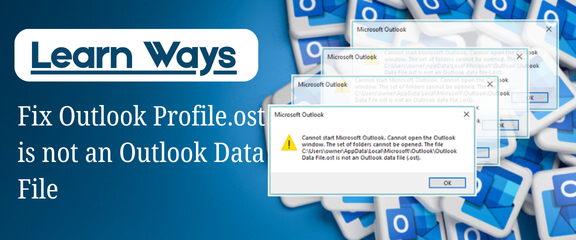
Microsoft Outlook is a popular email client that businesses and individual users use to keep track of their emails, calendars, and contacts all in one location. Outlook is a popular email client for businesses because it has a lot of useful features and is safe. But it does have some bugs, just like any other app. Many users have trouble getting the error message that says “profile.ost is not an Outlook data file”.
When users try to open Outlook and get to their mailbox data stored in an OST file, this error happens most of the time. After this problem happens, Outlook won’t load profiles, and users won’t be able to see their emails or other items in their mailbox. Don’t worry if users are having this problem. This guide will explain why this error happens and how to fix it in a way that works.
Why Does Outlook Show “Profile.ost Is Not an Outlook Data File”?
An OST (Offline Storage Table) file keeps a copy of the mailbox data from the Exchange server that is in sync with the server. This file is what Outlook needs to read emails when users are not connected to the internet. The error message appears when Outlook can’t find or read this file correctly.
There can be several reasons behind this issue, including:
- The OST file is corrupted because it was not shut down properly.
- Power goes out suddenly while Outlook is open
- Difficulties keeping Outlook and the Exchange server in sync
- Microsoft Outlook crashed or had to close unexpectedly.
- Malware or problems with the system that affect Outlook data files
When corruption happens, it’s hard to get to OST files directly because they are protected and linked to a specific Outlook profile.
Manual Way to Fix Profile.ost Is Not an Outlook Data File Error
Users who prefer a free solution can try resolving this issue manually by reconfiguring the Outlook profile settings. The main thing about this method is turn off and then back on Cached Exchange Mode. It can work in some situations, but it can be hard for users who aren’t tech-savvy to understand.
Please follow these steps carefully:
- Select Mail from the Control Panel menu.
- Click on Show Profiles in the Mail Setup window, and then choose your Outlook profile.
- To open the Exchange Account settings, click on Properties, then Email Accounts.
- Click Change and then uncheck the box next to Use Cached Exchange Mode.
- Open the Advanced tab in More Settings and look for the Offline Folder File option.
- To turn off offline use, click “Disable” and then “Yes.”
- Close all windows and save the changes.
- Restart Outlook and turn Cached Exchange Mode back on.
- Click Next, then Finish, and then close the window for setting up.
Outlook will make a new OST file after finishing these steps. This may fix the problem. But this method might not work if the OST file is very badly damaged.
Professional Approach to Resolve the Error
The manual solution only works in certain situations and should be done carefully. Many people would prefer to take a safer and more reliable route, especially when it comes to important emails. When this happens, using a specialized tool like GainTools OST to PST Converter can be helpful. This tool lets people convert OST files that they cannot open into PST files. You can now access mailbox data in Outlook again without using the original profile. After creating the PST file, you can easily add it to any version of Outlook. This lets users get back to their contacts, email, calendars, and other information.
Steps to Convert an OST File Using the Tool
Follow these steps to convert an OST file that users can’t open so users can get to your Outlook data:
- Download the software and set it up on your computer.
- Launch the app and look at the broken OST file.
- Preview mailbox data that was loaded from the OST file
- Select PST as the type of output file you need.
- Choose a place to save the file that has been changed.
- Click the Convert button to begin.
Users can import the PST file into Outlook after the conversion is finished. This makes it easy for them to get to their emails, contacts, calendars, and other mailbox items.
Conclusion
Outlook errors can make users feel stressed without any reason and hinder their daily work, especially when they are unable to access important emails stuck in the OST file. The “Profile.ost is not an Outlook data file” error is a common error that usually occurs when files get corrupted or when synchronization does not work properly. In this article, we talked about what can cause this error and how to fix it manually. If users can’t fix the problem themselves, using a safe alternative method will ensure that they can get their Outlook data back.