Are you confident your WooCommerce store is fully compliant with EU energy labeling regulations while still offering a smooth shopping experience for your customers?
Most store owners think they are. Until they’re not. It usually starts small. A new product has been added. A supplier sends over specs. Someone mentions “energy class” in an email. You assume it’s handled somewhere on the product page. Then weeks later, you realize the label is missing. Or worse, placed incorrectly.
EU energy labeling isn’t flashy. It’s not exciting. But it matters a lot. And if you’re selling into the EU, it’s not optional. Never was.
Understanding EU Energy Label Requirements
The EU Energy Label exists for one simple reason. Clarity. Consumers should know what they’re buying. How much energy does it use? How efficient it really is. No guessing. No marketing spin. These labels follow strict rules. Colors. Scales. Layouts. Even font sizes. Everything is standardized so that shoppers can compare products side by side without effort.
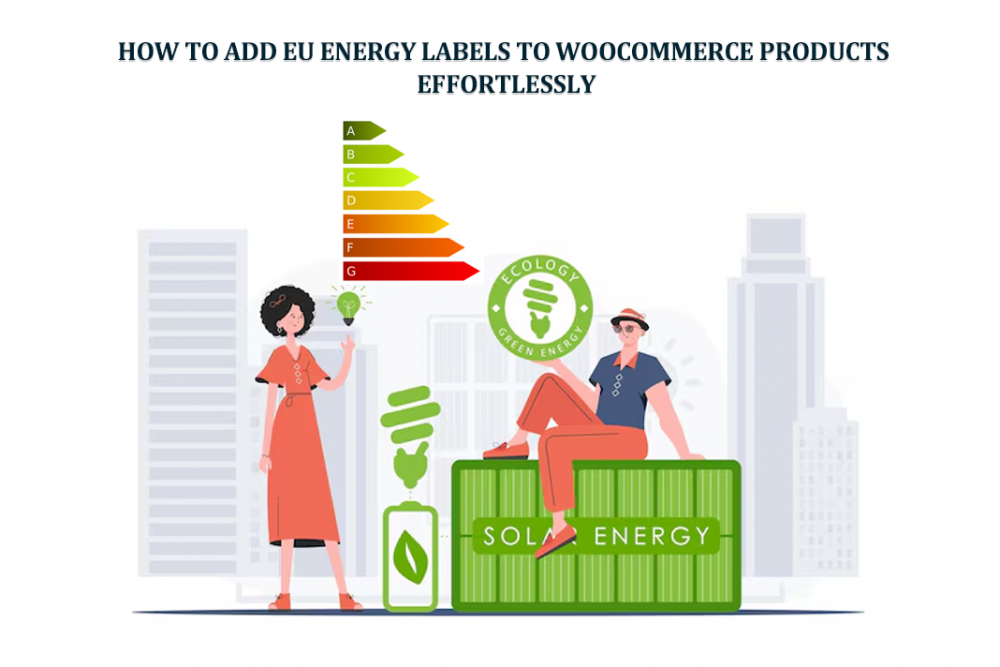
Over the years, the system evolved. Older A+++ labels faded out. The new A–G scale arrived. Cleaner. Stricter. Less forgiving. And online stores? They’re held to the same standard as physical shops. No exceptions just because it’s digital.
Why EU Energy Labels Matter for WooCommerce Stores
Some store owners see energy labels as “just another regulation.” That’s a mistake.
Legal Compliance
Yes, compliance is the obvious part. Labels must be visible before purchase. Not hidden in PDFs and not buried in descriptions. If they’re missing, regulators don’t care why.
Customer Trust and Transparency
But there’s more. A visible label sends a signal. It says, “We’re transparent.” It says, “Nothing to hide.” Customers notice this stuff. Especially now.
Improved Conversion Rates
When energy info is clear, hesitation drops. People feel safer buying expensive appliances online. Fewer doubts. Fewer abandoned carts. It’s subtle. But real.
Common Challenges When Adding Energy Labels Manually
Most WooCommerce stores start the same way. Manual uploads. Someone adds a label image to the gallery. Another adds it into the description. A badge overlay may be hard-coded by a developer. It works. For a while. Then problems show up.
Labels don’t align on mobile. Theme updates break positioning. Shop pages look cluttered—no hover previews. No consistency. Worst part? Updating or removing labels becomes a nightmare: every product, one by one. Human error creeps in. Always does.
Effortless Way: Using a Dedicated Plugin
This is where most store owners breathe a little easier. A dedicated plugin changes everything. Instead of hacking labels into content, you manage them structurally. Like pricing. Like stock.
A proper solution integrates directly into WooCommerce. It respects themes. It understands shop pages. It scales. This is exactly why tools like the EU Energy Label Plugin for WooCommerce exist. Not to overcomplicate things. To remove friction.
Step-by-Step: Adding EU Energy Labels to WooCommerce Products
This is where the process becomes surprisingly simple. Not flashy. Just clean.
Step 1: Install and Activate the Plugin
Install. Activate. Done. No child themes. No snippets. No late-night Stack Overflow tabs open. Once activated, new settings appear in your dashboard. Quietly. Waiting. You don’t need to touch everything at once. Start small.
Step 2: Configure Global Label Settings
Global settings are your foundation. Your safety net. Here, you decide where labels should appear by default. Shop pages. Category pages. Product pages. Or all of them. You also control placement. Next to images. Over images. Besides titles. Hover tooltips? On or off. This single setup can cover hundreds of products. And it keeps things consistent, which matters more than people think.
Step 3: Assign Labels to Individual Products
Now the detail work. Open any product. You’ll see a new tab. “EU Energy Label.” This is where accuracy lives. Enable the label. Choose the correct category. Select single or dual label if needed. Upload a custom image if the default isn’t right. Add a tooltip image. Each product gets exactly what it needs. Nothing more. Nothing less.
Step 4: Verify Shop and Product Page Display
Always check the front end. Always. On shop pages, labels appear as compact icons. Clean. Unobtrusive. Hover reveals the full label. On product pages, labels sit near the image. Visible. Impossible to miss. This balance matters—compliance without clutter.
Optimizing Placement for User Experience
Placement can make or break the experience.
Best Placement on Product Pages
Labels should feel natural. Not forced. Near the product image works best. That’s where attention already is. Avoid hiding labels in tabs. Or footers. Or expandable sections. Regulators don’t like that. Customers don’t either.
Best Placement on Shop Pages
Shop pages are different. Space is tight. Icons plus hover tooltips work beautifully here. They inform without overwhelming. They keep the grid clean. Good UX isn’t loud. It’s invisible.
Supporting Current and Legacy EU Labels
Not every product follows the same rules. And that’s okay. Some older models still legally use legacy labels. Others require the new A–G scale. A flexible system lets you choose. Per product. Without hacks. This is crucial if you sell mixed inventory. Or clearance stock. Or refurbished items. Wrong label. Wrong scale. Big problem.
Compatibility with Themes and Page Builders
WooCommerce stores are rarely “standard.” Different themes. Custom layouts. Page builders stacked on page builders. A good energy label solution doesn’t fight this. It adapts. Whether you’re using Elementor, WPBakery, Divi, or a heavily customized theme, labels should stay where they belong, even after updates. That stability saves time and nerves.
Multilingual and International Stores
Energy labels are universal. Language doesn’t change their meaning. Still, multilingual stores need proper technical support. Translation files. Compatibility with WPML or Polylang. When done right, labels stay consistent across languages. No duplicate work. No confusion. For EU-wide selling, this matters more than people realize.
SEO and Performance Considerations
Energy labels don’t hurt SEO. When implemented efficiently, they load fast. They don’t bloat pages. They don’t interfere with indexing. Actually, they can improve perceived quality. Structured, factual information helps users trust what they see. Just don’t upload massive, unoptimized images. That’s on you.
Maintenance and Future Updates
Regulations change. Products change—your store changes. A plugin-based approach makes updates painless. Need to remove a label? One click. Need to update positioning site-wide? One setting. No editing dozens of product descriptions at midnight. Future-you will be grateful.
Comparing Plugin-Based vs Manual Methods
Manual methods feel cheap at first. Until they aren’t. They don’t scale. They break. They invite mistakes. Plugins centralize control. Reduce risk. Save time. And keep things consistent even as your catalog grows. For serious stores, it’s not really a debate.
Final Thoughts
EU energy labeling isn’t exciting. But it’s essential. Done wrong, it creates risk. Done right, it builds trust quietly in the background. With the right setup, adding labels to WooCommerce doesn’t feel like a chore anymore. It becomes part of your product workflow. Clean. Predictable. Reliable.
Using a solution like WooCommerce EU Energy Label tools allows store owners to stay compliant, protect their business, and give customers the clarity they expect without sacrificing design or performance. Sometimes, the best systems are the ones you stop thinking about but they work.