Most organizations using SharePoint already understand how capable the platform is. But sooner or later, many teams discover that simply having SharePoint in place doesn’t fix every business challenge.
The right SharePoint partner can help to transform a challenging rollout into a clear, organized, and productive digital workplace.
By Selecting the wrong partner, and you may face frustrated employees, inefficient workflows, and wasted budgets. By Choosing the right one, and SharePoint can become the central hub of collaboration, automation, and knowledge management across your enterprise.
So how do you choose the right partner? After years of working with enterprise organizations, here are the most important factors to consider.
Why Your SharePoint Partner Matters More Than You Think
SharePoint implementation is far more than installing software. Successful enterprise deployments typically involve:
- Custom SharePoint development
- Workflow automation
- Integration with Microsoft 365 tools
- Data migration and governance
- Employee training and user adoption
Many organizations are spending months in implementing SharePoint only to end up with a system, but employees rarely use that system.
A good SharePoint partner understands the technology and how teams work, helping everyone get more done.
A strong implementation partner helps deliver:
- Seamless collaboration across departments
- Automated workflows that reduce manual work
- Secure and compliant document management
- Scalable systems that grow with your business
Think of SharePoint as the engine of your digital workplace. Your development partner is the expert who tunes that engine for your organization’s needs.
What to Look for in a SharePoint Development Partner
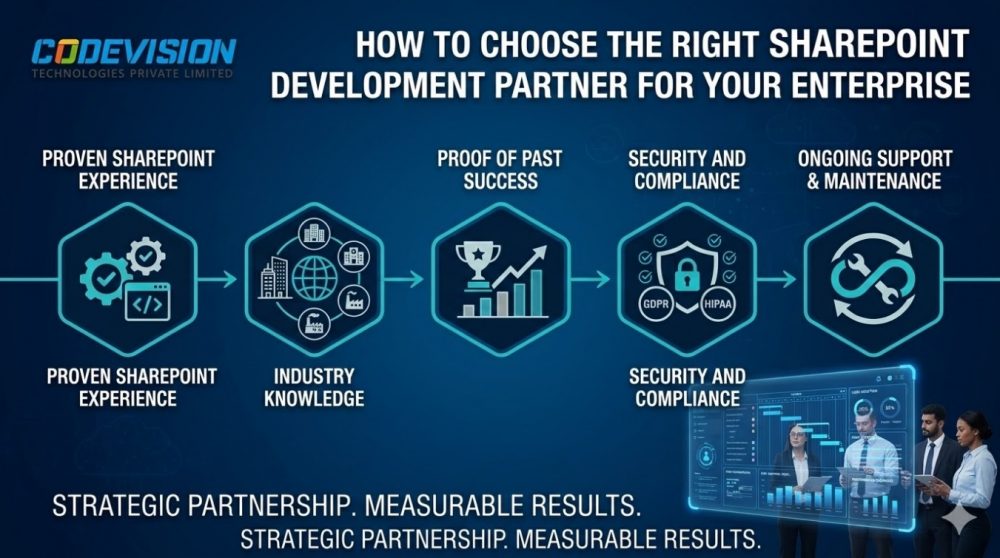
1. Proven SharePoint Experience
Not every IT vendor has real SharePoint expertise. Many claims experience but only understand the basics.
A reliable SharePoint partner should have hands-on experience with:
- SharePoint Online and SharePoint On-Premises
- SPFx (SharePoint Framework) custom development
- Workflow automation with Microsoft Power Automate
- Integrating with Microsoft Teams, Power BI, and Dynamics 365
Experienced developers build solutions that match how your business works, instead of using generic templates.
2. Industry Knowledge Matters
Only Technical expertise is not enough. The best partners also understand the operational challenges within your industry.
For example, when you are working with a healthcare organization, our team built a SharePoint-powered intranet designed for project and document management. Their teams were struggling with:
- Disorganized documents
- Slow approval processes
- Limited visibility across departments
When documents are organized, approvals are automated, and projects are tracked in one system, teams can make decisions faster and work more smoothly.
A partner who understands your industry can prevent common problems and create systems employees are comfortable using.
3. Proof of Past Success
A partner should show real results, not just talk big. Ask for:
- Case studies : For reference Please read our Case Studies: Streamlining Operations with SharePoint-Powered Intranet & Project Management System
- Client testimonials
- Measurable improvements
Even small wins count. For example, the healthcare intranet we implemented reduced reporting time by over 40% — a huge difference for busy staff.
4. Security and Compliance
Enterprise organizations handle sensitive data every day. Security should be built into the architecture from the beginning, not added later.
A strong SharePoint development partner will implement:
- Role-based access controls
- Secure document encryption
- Compliance with regulations such as GDPR or HIPAA
- Proper governance and data policies
For industries like healthcare, finance, and government, even minor security gaps can lead to serious consequences. This makes security expertise essential.
5. Ongoing Support and Maintenance
A SharePoint project doesn’t end when the system goes live.
Over time, organizations often require:
- New workflows
- Feature updates
- Performance optimization
- Issue resolution
The best SharePoint partners offer long-term support and continuous improvements.
Without ongoing support, even well-designed systems can eventually become inefficient or outdated.
6. Strong Communication and Project Transparency
Technology projects often fail due to poor communication rather than technical problems.
Your SharePoint partner should:
- Provide clear project timelines
- Share regular progress updates
- Use collaborative tools for visibility
- Work closely with internal teams
Transparent communication ensures that stakeholders stay aligned and projects remain on track.
A Real-World Scenario
Imagine your company is transitioning from spreadsheets and shared drives to SharePoint.
An inexperienced vendor may deliver a system that feels confusing, with poorly designed workflows and limited user adoption.
Now imagine the same project handled by an experienced SharePoint development team. Document libraries are structured logically, approval workflows are automated, and employees receive proper training.
The result is a system that teams want to use, while leadership gains clear visibility into projects and operations.
Comparing Vendors: Average Provider vs Codevision
| Factor | Average Vendor | Codevision |
| SharePoint Expertise | Limited experience | SPFx development, custom portals, workflow automation |
| Industry Knowledge | Generic solutions | Enterprise, healthcare, and financial sector expertise |
| Security | Basic configurations | Role-based security with HIPAA/GDPR compliance |
| Support | Limited post-launch help | Continuous monitoring and updates |
| Results | Inconsistent outcomes | Measurable productivity improvements |
Key Takeaways
Choosing a SharePoint development partner is not just a technical decision — it’s a strategic business investment.
The right partner should offer:
- Proven SharePoint expertise
- Understanding of your industry
- Demonstrated project success
- Strong security and compliance practices
- Ongoing support and optimization
- Clear communication and transparency
With the right partner, SharePoint becomes more than a collaboration tool. It becomes a central system that drives productivity, improves workflows, and connects teams across the enterprise.
Ready to Make SharePoint Work for Your Enterprise?
At Codevision Technologies, we help enterprises to build there SharePoint systems that improve collaboration, automate workflows, and give leadership real visibility. Our healthcare clients, for example, have streamlined reporting, sped up approvals, and saved countless hours.
Contact Codevision Today and let’s explore how your enterprise can benefit.
Frequently Asked Questions
Why choose Codevision for SharePoint development?
Codevision combines deep technical expertise in SharePoint with a strong understanding of real business workflows. Our enterprise clients have seen significant improvements in efficiency, collaboration, and reporting.
Can Codevision handle complex SharePoint migrations?
Yes. We support SharePoint On-Premises, SharePoint Online, and hybrid migrations, ensuring minimal disruption and accurate data transfer.
How long does a SharePoint implementation take?
Project timelines depend on complexity. Smaller workflow automation projects may take a few weeks, while full intranet solutions can take several months.
Does Codevision provide post-deployment support?
Yes. We offer ongoing monitoring, updates, and troubleshooting to ensure your SharePoint environment continues running smoothly.
How does Codevision ensure data security?
We implement role-based access controls, encryption, and regulatory compliance frameworks such as GDPR and HIPAA, ensuring sensitive data remains protected.