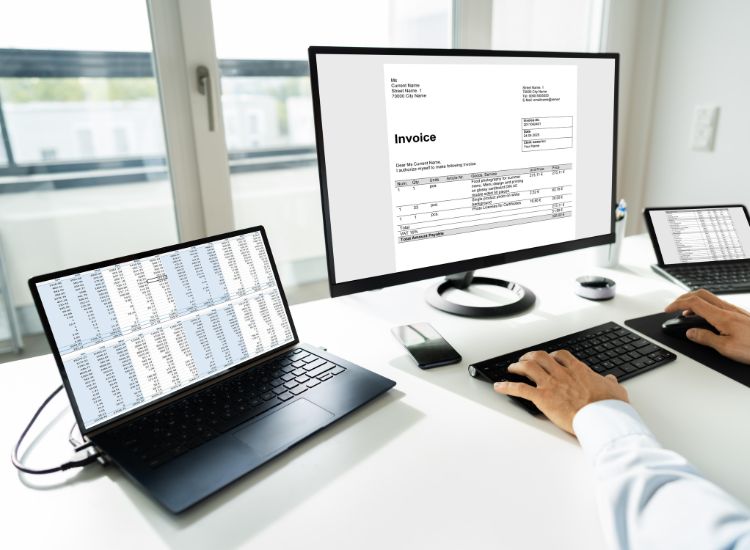
Running a small business in India means handling many things at once. This includes sales, customers, suppliers, taxes, and daily expenses. Billing is one area where mistakes can easily happen if the process is manual. Many small businesses now use billing software to generate invoices, track payments, and manage GST records.
However, with so many options available, choosing the rightbilling software for small business can be confusing. The right tool should make daily work easier, help maintain accurate records, and keep your business compliant with Indian tax rules.
Tips to Choose the Best Billing Software
Here are 10 practical tips to help you select bill generator software that actually meets your business needs.
1. Check GST Compatibility
In India, GST compliance is one of the most important factors when choosing billing software. The software should support GST invoices, HSN/SAC codes, tax calculations, and GST reports required for filing returns.
For example, if you run a small electronics shop, each product may fall under a different GST slab, such as 5% or 18%. Billing software that automatically calculates GST based on the product category can reduce errors and save time during return filing.
2. Ensure It Is Easy to Use
Small businesses usually do not have dedicated accounting teams. Many times, the owner or a staff member handles billing. Because of this, the software should be simple enough to learn quickly.
For instance, a small grocery store owner may only need to create invoices, record payments, and check daily sales. Software with a clear dashboard and simple invoice creation can help staff complete billing in seconds without technical training.
3. Look for Inventory Integration
Billing software that also manages inventory can automatically track stock levels. When a product is sold, its quantity should be updated instantly in the inventory.
Imagine a small clothing shop selling shirts and trousers. If the billing software reduces stock each time an item is billed, the owner can easily see which products are running low and reorder them before they go out of stock.
4. Check Multi-Device Access
Many small business owners prefer checking their sales even when they are not at the shop. Software that allows access from mobile phones, tablets, or laptops can be very useful.
For example, a restaurant owner might want to check daily sales after closing hours. If the billing software provides mobile access, they can quickly view reports and payment summaries without needing to visit the restaurant again.
5. Evaluate Reporting Features
Good billing software should generate useful reports that help you understand your business performance. Reports such as sales summaries, profit margins, outstanding payments, and tax reports can support better decisions.
For instance, a pharmacy owner might want to know which medicines sell the most every month. A simple sales report generated by the software can highlight top-selling items and help decide what stock to purchase more frequently.
6. Check Payment Integration Options
Customers in India now use a variety of payment methods, including UPI, cards, net banking, and wallets. Billing software that supports multiple payment options can make transactions smoother for both the business and the customer.
For example, if a customer at a stationery store wants to pay through UPI, the invoice should easily record that payment method. This keeps records accurate and avoids confusion when checking daily payment collections.
7. Ensure Data Security and Backup
Billing software stores critical business data, including sales records, customer details, and tax information. The system should have proper data protection and automatic backup features.
For example, if a computer in a retail shop suddenly crashes, cloud backup or automatic data storage can help recover invoices and reports. This prevents the business from losing valuable financial records.
8. Check Customisation Options
Different businesses require slightly different invoice formats and billing processes. Billing software that allows customisation can adapt better to your business.
For instance, a wholesaler may need invoices that include transport details, bulk quantity discounts, or specific customer information. Software that allows editing invoice templates can make the billing process more suitable for that type of business.
9. Look for Customer Support
Even simple software may occasionally create issues, especially during updates or GST filing periods. Reliable customer support can help resolve problems quickly.
For example, if a shop owner has difficulty generating a GST report before filing returns, timely support via phone, chat, or email can help resolve the issue and avoid compliance delays.
10. Compare Pricing
Pricing should match your business size and requirements. Instead of only choosing the cheapest option, it is better to check the features included in the plan.
For example, a small service business may initially need only invoicing features, but later may require inventory tracking or accounting reports. Software that allows upgrading plans without switching systems can be more practical in the long run.
Conclusion
Choosing billing software for a small business in India is not just about creating invoices. The right software should help you manage GST compliance, track inventory, record payments, and understand your sales performance.
By focusing on usability, features, security, and long-term value, you can select billing software that supports your daily operations and reduces manual work. A thoughtful choice today can save time, prevent errors, and help your business run more smoothly as it grows.