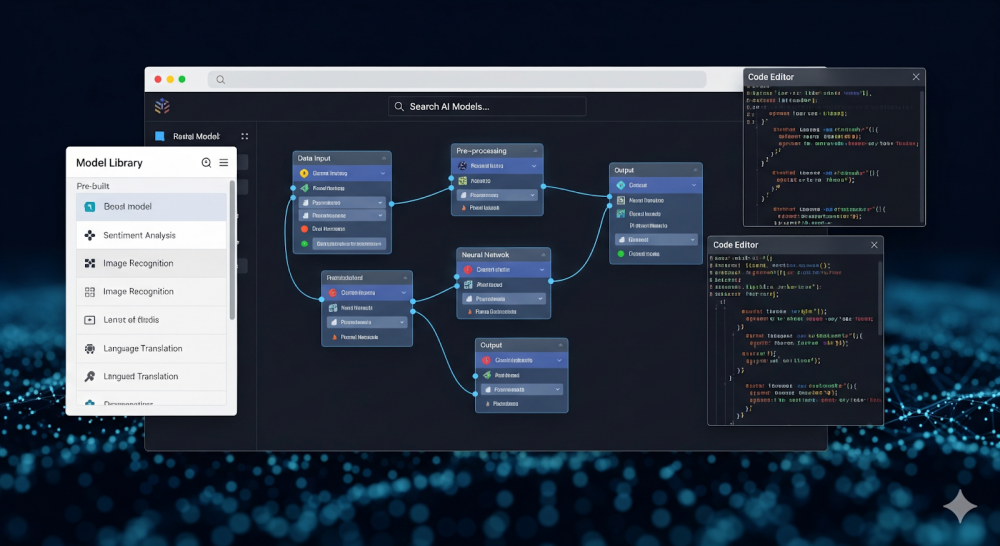
Crafting a smarter app by integrating a custom AI model in the web browser enhances personalization and user experience, increases performance and efficiency, Increases accessibility and scalability, and more. Let’s know how custom apps are built, integrating AI models in the browser.
What are browser-based applications?
Browser-based apps, also known as web-based applications, run with an internet connection. They don’t need to be downloaded by users; they can directly search for information in a tab and will get plenty of suggestions according to the user’s demand.
Apps are hosted on a remote server and use web technologies like HTML, CSS, and JavaScript to render dynamic functionality.
For instance, Communication (Microsoft 365, Google Docs), E-commerce (Online stores like Myntra, Amazon), Social Media (Facebook, Instagram), and so forth.
How to plan the development of your AI-based applications?
Successful development of an AI-based application requires a strategic plan and organized process, which will need a team of developers, designers, and QA engineers. Let’s learn the steps which are required to build an AI-based application.
1. Clearly identify the problem
Consider user pain points that AI can address more effectively than traditional approaches. Define a clear objective of what your AI feature can do to help solve their problems. It should be a clear and cut objective behind developing AI-powered applications.
2. Define user flows and Data Inputs for AI
Map out the user flows and data inputs for your AI systems. Describe how users will input data, what processing steps are required, and how AI outputs will be represented. This outmapping stage requires architectural changes during the development stage, and ensures smooth integration between machine and humans.
3. Choosing between client-side and server-side processing
The choice between client-side and server-side AI processing significantly impacts user experience and costs. Client-side is often referred to as where the user can view the content and perform any action is known as client-side, whereas server-side processing is referred to as the area which is hidden from users and is in charge of storing and managing browser data.
Example: Laptops, smartphones are considered to be the client side, whereas server-side examples refer to processes or applications executed on a remote server rather than on a user’s local device (client).
Pro tip: Choose expertise in AI developers, as they may suggest you start with server-side processing for complex models.
Build AI-Powered Web App: Choosing the Right Technology Stack
Choose an appropriate tech stack for building smart AI-powered apps. Here is a list of the best technologies for integrating AI in development.
1. Frontend Technologies
Frontend technologies create a user-facing interface of a website or web application. By utilizing Tools such as HTML, CSS, and JavaScript. Frameworks such as React, Angular, Vue, build tools (Vite, Webpack), and CSS preprocessors (Tailwind CSS) assist in simplifying development and improving functionality.
These Frameworks are widely utilized in integrating AI into an app using AI libraries such as TensorFlow.js and ONNX.js.
2. Backend Technologies
Backend technologies are server-side languages and applications used to develop the unseen aspects of an application, data handling, user authentication, and server logic.
Node.js provides a number of backend frameworks, each with different characteristics and purposes.
Python (Flask or Django) – Ideal to run an AI model in a browser via APIs
3. AI and Modern Integration Tools
Here are some browser-compatible AI libraries:
TensorFlow.js: The TensorFlow.js library allows you to build web-friendly machine learning models accessible from your browser, and convert existing Python-based models to run under Node. JS, and retrain models using fresh data.
ONNX.js: Use ONNX models trained in TensorFlow
WEBAssembly: Helps run compiled Python/C++ ML code directly in the browser.
Training or Importing a Custom AI Model
If you’re messing around with AI models, you can’t just wing it; how you train and actually roll out these models can make or break your whole project. Some people jump into something like TensorFlow or PyTorch, hand-crafting their models from scratch like some sort of mad scientist in a data laboratory. Others? They like to take a pre-trained model and personalize it for their style, sorta like designing your own sneakers rather than hand-stitching them.
Honestly, TensorFlow’s got your back if you’re planning to push stuff online. Tons of deployment options, plus a ridiculous amount of tools you can mess with to build your dream model. It’s like the Swiss Army knife for AI nerds.
Though it needs to be converted for browser deployment, PyTorch offers user-friendly development experiences. Hugging Face and other pre-trained models drastically cut down on development time while preserving high accuracy for typical use cases.
Conversion tools such as ONNX format for cross-platform compatibility or tensorflowjs_converter for TensorFlow models are used when exporting models to web-compatible formats. By using graph optimization and weight quantization, these tools optimize models for browser execution.
Hosting and Serving Your Model
Although choosing a location for your model’s hosting may seem unimportant or irrelevant, it does take some careful preparation. First of all, the size of your model will largely determine how to host it. The next step is to think about your main objectives. Is it to create a fast browser application with AI capabilities? Do you value privacy?
Large models with greater processing requirements may benefit from server-side deployment via edge computing or API, but smaller models under 10 MB can be installed directly in the frontend.
Conclusion
Crafting a browser-based AI application requires a thorough planning, developing, coding, designing, and testing team. Start with simple AI features and gradually improve complexity as you gain experience. Building your own custom AI models right in the browser used to be a headache, but honestly, those roadblocks are kinda melting away. You can fine-tune custom AI models just for you, think personalized dashboards, slicker workflows, and way better back-and-forth with your apps. It’s like, suddenly you’ve got the wheel, not just riding shotgun. App development? Way faster, way smarter, and, honestly, it’s all happening right on your turf. The future isn’t some far-off thing anymore; it’s basically in your browser tab.
FAQs
1. What are browser-based AI applications?
Browser-based AI applications run entirely within a simple web browser; users don’t have to download, and they can simply access information just by searching on a tab with a good internet speed connection.
2. How to run a Custom AI model in a browser?
TensorFlow.js, ONNX.js, or WebAssembly implementations that translate learned models into browser-compatible formats can be used to run custom AI models.
3. What Are the Best Technologies for Developing a Browser-Based AI App?
WebAssembly for high-performance computing, WebGL for GPU acceleration, and TensorFlow.js for machine learning are important technologies. Web Workers conduct complex calculations without halting the main thread, while frontend frameworks such as React or Vue handle the user interface.
4. Which Browser-Based AI Applications Are There?
Examples include social media face filter apps, RunwayML’s browser editor for creative AI, and Google’s Teachable Machine for training bespoke models. AI is used by photo editing software to eliminate backgrounds, which assists in offering real-time code suggestions entirely in the browser.